Download from GIT
 Table of Contents
- Introduction
- Install External Dependencies
- Checkout the digiKam Source Code from Git
- Configure with Cmake
- Compile and Install digiKam
- Configure Compile and Install GMicQt
- Conclusion
🔴 Skill Level: ADVANCED
 Introduction
This guide explains how to compile and install digiKam directly from the Git master repository, including the powerful 3rd-party GMicQt plugin. Follow these steps to get the latest development version up and running on your Linux system.
Before installing a digiKam from git, it is recommended to uninstall any existing digiKam package provided by your distribution to avoid conflicts.
 Install External Dependencies
Before compiling digiKam, you need to install all required tools and libraries. The full list of mandatory X and optional external dependencies required to compile and link digiKam source code is listed below. Qt:: is for the Qt framework modules and KF:: for the KDE framework modules. N/A: not applicable.
| Dependency | Requirement | Qt5 Version | Qt6 Version | Remarks |
|---|---|---|---|---|
| Git | X | >= 2.x | Note: to checkout source code from the git repositories. Not necessary if you compile source from tarball | |
| CMake | X | >= 3.16.0 | >= 3.22.0 | Note: multi-platform framework to configure and compile the source code |
| ECM | X | >= 5.95.0 | >= 6.5 | Note: Cmake extension framework from KDE project |
| CCache | optional | >= 4.x | Note: to speed-up compilation. Relevant Cmake option: BUILD_WITH_CCACHE | |
| GetText | optional | >= 0.20 | Note: including Msgfmt program from GetText to compile po files to mo files. Relevant Cmake option: DIGIKAMSC_COMPILE_PO | |
| ASAN | optional | >= 19 | Note: to build with ASAN and UBSAN sanitizers. Require Clang compiler instead GNU G++. Relevant Cmake option: ENABLE_SANITIZERS | |
| Qt::Core | X | >= 5.14 | >= 6.4 | |
| Qt::Gui | X | >= 5.14 | >= 6.4 | |
| Qt::Widgets | X | >= 5.14 | >= 6.4 | |
| Qt::Network | X | >= 5.14 | >= 6.4 | For web services connection (eg. Web Service export tools |
| Qt::NetworkAuth | X | >= 5.14 | >= 6.4 | For web services authentication (eg. Web Service export tools |
| Qt::Sql | X | >= 5.14 | >= 6.4 | Note: uses Qt::Sqlite and Qt::Mysql plugins. Relevant Cmake options: ENABLE_MYSQLSUPPORT and ENABLE_INTERNALMYSQL |
| Qt::Xml | X | >= 5.14 | >= 6.4 | For Extensible Markup Language support |
| Qt::Concurrent | X | >= 5.14 | >= 6.4 | For Multithreading support |
| Qt::PrintSupport | X | >= 5.14 | >= 6.4 | For Printing support |
| Qt::Svg | X | >= 5.14 | >= 6.4 | For Scalable Vector Graphic image support |
| Qt::WebEngine | X | >= 5.14 | >= 6.4 | For web contents rendering (eg. Web Service export tools) |
| Qt::XmlPatterns | optional | >= 5.14 | N/A | For parsing and validate Xml. Used by Qt5 version of Rajce tool. Module removed with Qt6 |
| Qt::X11Extras | optional | >= 5.14 | N/A | For Color Management support under Linux. Used by Qt5 version only. Module removed with Qt6 |
| Qt::DBus | optional | >= 5.14 | >= 6.4 | For Linux Desktop interprocesus communication support. Relevant Cmake option: ENABLE_DBUS |
| Qt::OpenGL | optional | >= 5.14 | >= 6.4 | For Presentation tool |
| Qt::OpenGLWidgets | optional | N/A | >= 6.4 | For Presentation tool. Qt6::OpenGL split on 2 modules: core and widgets |
| Qt::Multimedia | optional | N/A | >= 6.4 | For Video support. QtAvPlayer used internally for the Qt5 version |
| Qt::Test | optional | >= 5.14 | >= 6.4 | For test codes compilation only. Relevant Cmake option BUILD_TESTING |
| Qt::Qml | optional | >= 5.14 | >= 6.4 | For internal O2 library test codes compilation only. Relevant Cmake option BUILD_TESTING |
| Qt::WebView | optional | >= 5.14 | >= 6.4 | For internal O2 library test codes compilation only. Relevant Cmake option BUILD_TESTING |
| KF::Config | X | >= 5.95.0 | >= 6.5 | For application configuration files support |
| KF::XmlGui | X | >= 5.95.0 | >= 6.5 | For application menu, shortcut, and toolbar settings support |
| KF::I18n | X | >= 5.95.0 | >= 6.5 | For application internationalization support. Relevant Cmake option: DIGIKAMSC_COMPILE_PO |
| KF::WindowSystem | X | >= 5.95.0 | >= 6.5 | For the host system windows properties management |
| KF::Service | X | >= 5.95.0 | >= 6.5 | For the host system mime-types configuration support |
| KF::Solid | X | >= 5.95.0 | >= 6.5 | For Database Collection Device Identification |
| KF::CoreAddons | X | >= 5.95.0 | >= 6.5 | For KAboutData and KMemoryInfo components |
| KF::NotifyConfig | optional | >= 5.95.0 | >= 6.5 | For Linux Desktop application notify configuration |
| KF::Notifications | optional | >= 5.95.0 | >= 6.5 | For Linux Desktop notifications integrations |
| KF::ThreadWeaver | optional | >= 5.95.0 | >= 6.5 | For Panorama tool |
| KF::IconThemes | optional | >= 5.95.0 | >= 6.5 | For Linux Desktop icon dialog support (KIconDialog component usage) |
| KF::FileMetaData | optional | >= 5.95.0 | >= 6.5 | For Plasma Desktop Files Indexer support support. Relevant Cmake option: ENABLE_KFILEMETADATASUPPORT |
| KF::CalendarCore | optional | >= 5.95.0 | >= 6.5 | For Calendar tool to setup ical special events |
| KF::KIO | optional | >= 5.95.0 | >= 6.5 | For Linux Desktop Remote Export tool. Relevant Cmake option: ENABLE_KIO |
| KF::Sonnet | optional | >= 5.95.0 | >= 6.5 | For Spellcheck in text widget (eg. caption) |
| KF::AkonadiContact | optional | >= 5.95.0 | >= 6.5 | For Plasma Desktop Mail Contacts support. Relevant Cmake option ENABLE_AKONADICONTACTSUPPORT |
| libopencv | X | >= 4.8 | For Face Management. Required OpenCV modules: **Core | |
| libtiff | X | >= 4.0 | For DImg TIFF image loader | |
| libpng | X | >= 1.6 | For DImg PNG image loader | |
| libjpeg | X | >= 8 | For DNG support in RawEngine: jpeglib >= 8.0 | |
| libboost | X | >= 1.55.0 | For Versioning support | |
| liblcms | X | >= 2.x | For Color Management support | |
| libexpat | X | >= 2.1.0 | For RAW to DNG converter | |
| libexiv2 | X | >= 0.27.1 | For Metadata low level management | |
| libjpegxl | optional | >= 0.7 | For DNGWriter and RawEngine. To decode and encode DNG files | |
| libheif | optional | >= 1.6.0 | For HEIF file format support. Library must be compiled with libde265 (read) and libx265 (write) | |
| libx265 | optional | >= 2.2 | For HEIF encoding support | |
| libxml2 | optional | >= 2.7.0 | For Html Gallery tool | |
| libxslt | optional | >= 1.1.0 | For Html Gallery tool | |
| Flex | optional | >= 2.5.0 | For Panorama tool | |
| Bison | optional | >= 2.5.0 | For Panorama tool | |
| libmesa | optional | >= 11.0 | For Presentation tool | |
| libksane | optional | >= 21.12.0 | 22.04.2 | For Digital Scanner tool |
| libjpasper | optional | >= 1.900.1 | For JPEG-2000 support | |
| libeigen3 | optional | >= 3.2 | For Refocus tool | |
| liblensfun | optional | >= 0.2.8 | For Lens Correction tool | |
| libglib2 | optional | >= 2.0.0 | For Liquid Rescale tool | |
| libgphoto2 | optional | >= 2.5 | For Digital Camera Drivers support. Need libusb-1 at run-time | |
| libgomp | optional | >= 5.0 | For OpenMP support in RawEngine | |
| libimagemagick | optional | >= 6.7.0 | For ImageMagick codecs support in DImg image loader. | |
| libffmpeg | optional | >= 5.x | For video/audio support. Relevant Cmake option ENABLE_MEDIAPLAYER. FFmpeg used to extract video metadata and with Qt5::QtAVPlayer | |
| libvaapi | optional | >= 2.4 | For video/audio support. Relevant Cmake option ENABLE_MEDIAPLAYER. Intel Video codecs support in Qt5::QtAVPlayer |
Most of these dependencies are available as development packages in your Linux distribution native package managers. They are typically named with a -devel suffix (e.g., libgphoto2-devel). You can install them using your system’s package manager, such as:
- APT (Ubuntu, Debian, etc.)
- YUM/DNF (RedHat, Fedora, CentOS, etc.)
- Zypper (SUSE, OpenSUSE, etc.)
 Checkout the digiKam Source Code from Git
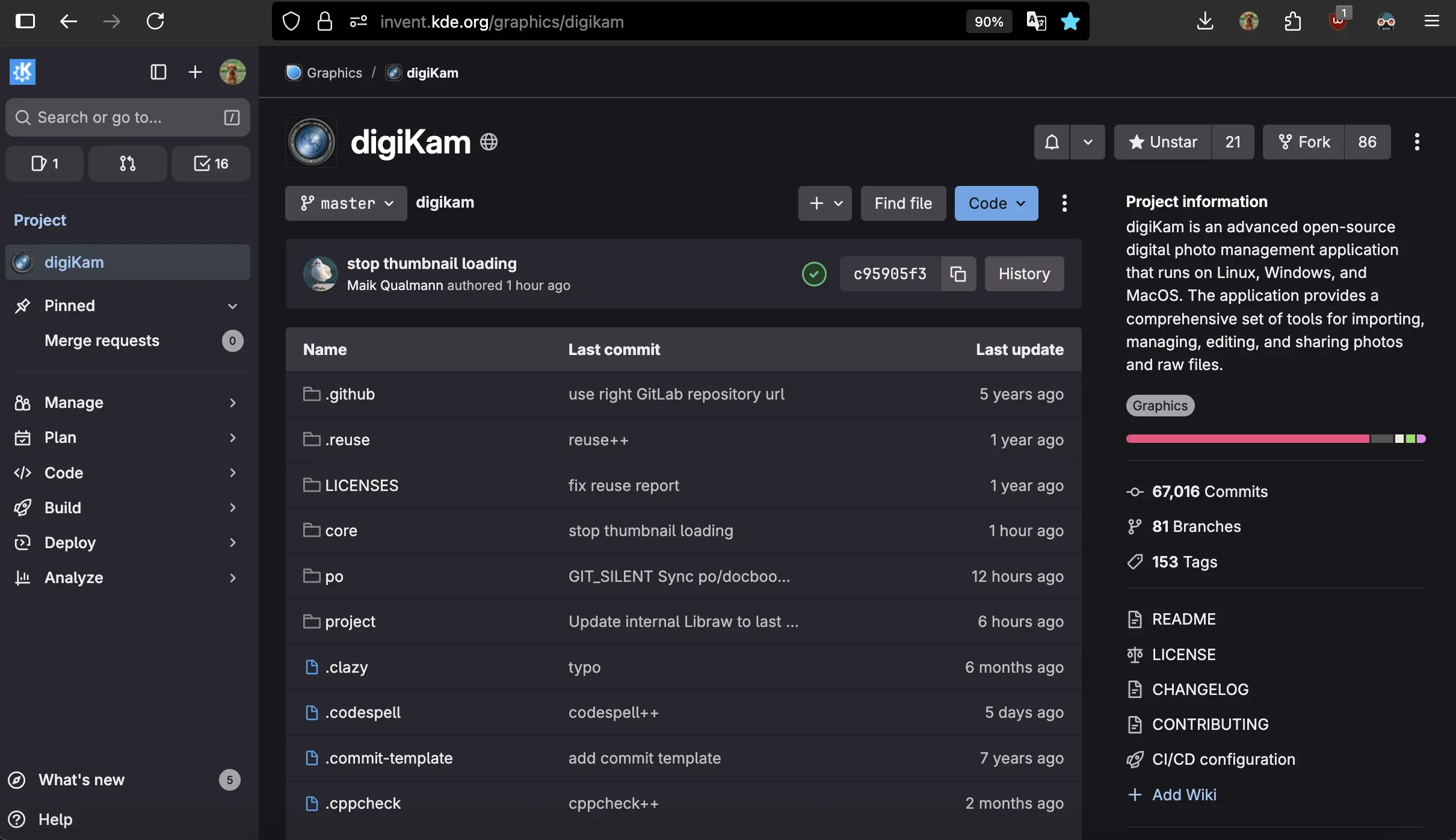
To clone the digiKam source code from the Git repository, run the following commands in a directory with sufficient disk space:
git clone https://invent.kde.org/graphics/digikam.git digikam
cd digikam
This will clone the master branch, which contains the latest features and is compatible with both Qt5 and Qt6.
Note for Contributors:
If you plan to Contribute to the project, create a fork of the repository via the GitLab web interface. Make your changes in your fork, then submit a Pull Request (PR) for review and integration into the master repository.
 Configure with Cmake
To compile the digiKam source code with Cmake, we provide a bootstrap script for each supported plateforms:
 bootstrap.linux: for Linux builds using native packages manager.
 bootstrap.macports: for macOS builds using MacPorts packages manager.
 bootstrap.vcpkg: for Windows builds using VCPKG packages manager.
These scripts are configurable with a simple text editor and options can be switched with ON and OFF keywords. Available Cmake options are listed below:
| Option | Usage | Description |
|---|---|---|
DIGIKAMSC_COMPILE_DIGIKAM | Packaging Only | Build digiKam core. This option is only turned on when we package a source tarball. |
DIGIKAMSC_COMPILE_PO | Packaging Only | Build application translations files. |
ENABLE_GEOLOCATION | Extra Feature Support | Build digiKam with Geolocation support. |
ENABLE_MEDIAPLAYER | Extra Feature Support | Build digiKam with Media Player support. |
ENABLE_SHOWFOTO | Extra Feature Support | Build Showfoto stand-alone image editor application. |
ENABLE_DBUS | Extra Feature Support | Build digiKam with DBUS support. |
ENABLE_APPSTYLES | Extra Feature Support | Build digiKam with widget application style support. |
ENABLE_KIO | Extra Feature Support | Build digiKam with KIO support. |
ENABLE_KFILEMETADATASUPPORT | Extra Feature Support | Build digiKam with Plasma Desktop Files Indexer support. |
ENABLE_AKONADICONTACTSUPPORT | Extra Feature Support | Build digiKam with Plasma Desktop Mail Contacts support. |
ENABLE_MYSQLSUPPORT | Database Support | Build digiKam with MySQL dabatase support. |
ENABLE_INTERNALMYSQL | Database Support | Build digiKam with internal MySQL server support. |
BUILD_WITH_QT6 | Development Only | Build with Qt6 framework, else Qt5. |
BUILD_TESTING | Development Only | Build tests code. |
BUILD_WITH_CCACHE | Development Only | Build with Ccache to speed up compilations. |
ENABLE_SANITIZERS | Development Only | Build with ASAN and UBSAN sanitizers when available. |
ENABLE_DIGIKAM_MODELTEST | Development Only | Build with ModelTest on some models for debugging. |
 Compile and Install digiKam
To compile digiKam, follow these steps in the source code directory. It is recommended to use a separate build folder to keep the source directory clean.
Run the bootstrap script to configure the build environment:
./bootstrap.linuxNavigate to the build directory and start the compilation:
cd build
make -j4
Note: The
-j4flag enables parallel compilation using 4 CPU cores. Adjust this value based on the number of cores available on your system to speed up the process.Install digiKam on your system:
sudo make install/fast
The files will be installed in the standard system directory for applications (usually /usr under Linux).
 Configure Compile and Install GMicQt
 A Collection of Tools to Enhance Your Works
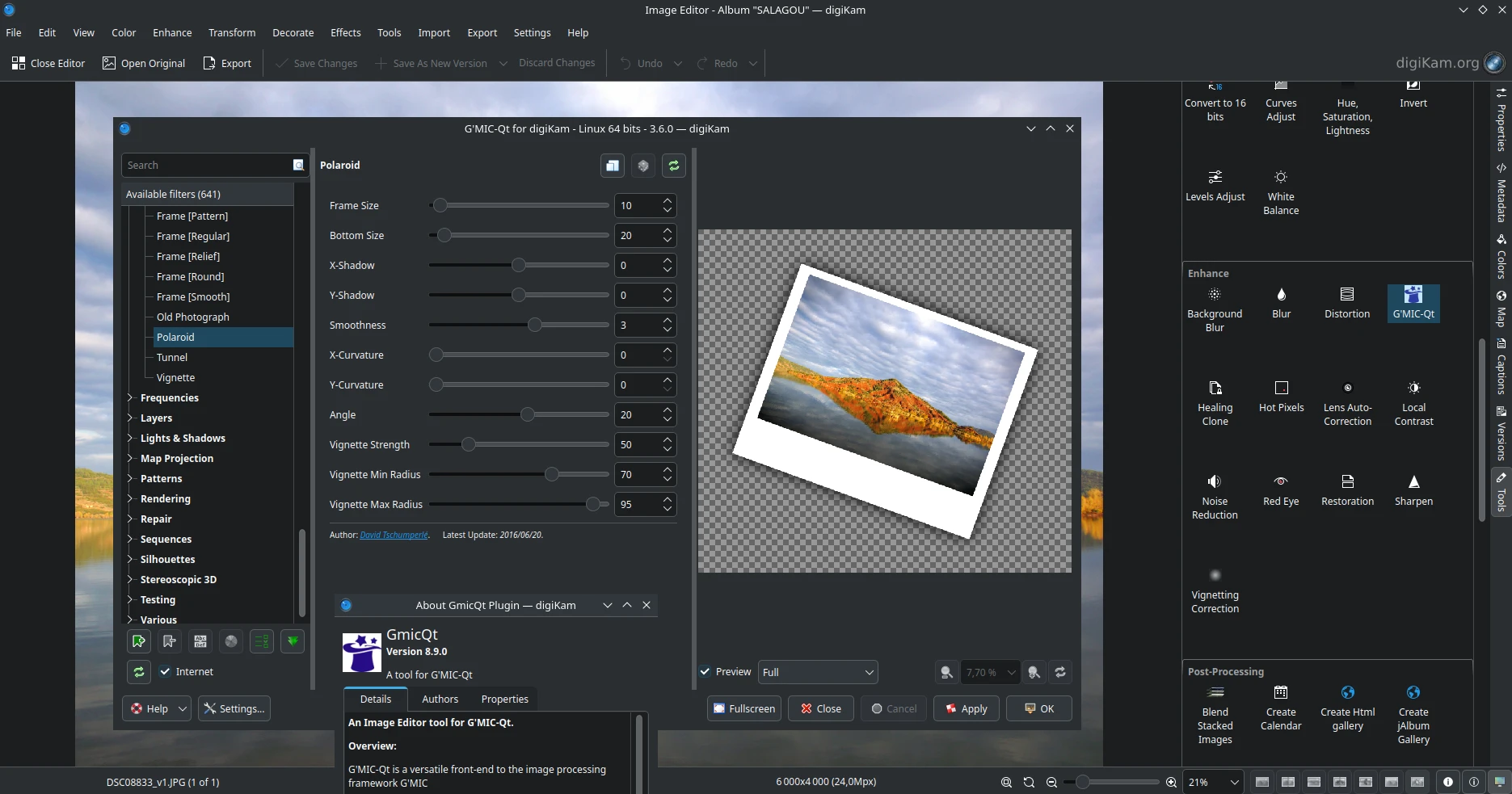
G’MIC-Qt is 3rd-party image editing tool provided as a plug-in. The full list of G’MIC features is long and cannot be detailed here as it comes with over 500 interesting functions to explore. It comes with filters for changing colors, creating patterns, adding artistic touches, repairing inconsistencies in pictures, rendering shapes, and much more. See this entry from the online documentation for details.
G’MIC-Qt is not included in the digiKam source code. If you want to compile and install it from git, follow the instructions below.
Dependencies
In order to compile the tool, see the list of extra dependencies to install on your computer.
Note: the tool uses 3 digiKam plugin architectures to provide new features in the application. digiKam must be compiled and installed on your system before to try to process GMicQt source code.
| Dependency | Requirement | Qt5 Version | Qt6 Version | Remarks |
|---|---|---|---|---|
| libfft3 | X | >= 3.0 | >= 3.0 | To support filters based on Forier Transform calculations. |
| libcurl | X | >= 8.0 | >= 8.0 | Remote Download support to update the filters using the online database. |
| digikamcore | X | >= 8.7 | >= 8.7 | digiKam Core library to provide plugin interfaces API. |
| digikamgui | X | >= 8.7 | >= 8.7 | digiKam Gui library to provide main GUI API. |
| digikamdatabase | X | >= 8.7 | >= 8.7 | digiKam Database library to provide data storage API. |
Checkout the Source Code
To clone the GmicQt source code from the Git repository, run the following commands in a directory with sufficient disk space:
git clone https://github.com/cgilles/digikam-gmic-qt.git digikam-gmic-qt
cd digikam-gmic-qt
Compile and Install With Cmake
To compile GMicQt, follow these steps in the source code directory. It is recommended to use a separate build folder to keep the source directory clean.
Run the bootstrap script to configure the build environment:
./bootstrap.linuxNavigate to the build directory and start the compilation:
cd build
make -j4
Note: The
-j4flag enables parallel compilation using 4 CPU cores. Adjust this value based on the number of cores available on your system to speed up the process.Install digiKam on your system:
sudo make install/fast
The files will be installed in the standard system directory for applications (usually /usr under Linux).
 Conclusion
You now have the latest development version of digiKam including the plugin GMicQt installed on your system! If you encounter any issues during the process, seek help from the community.
Happy compiling! 🚀
