digiKam 9.0.0 is released
Dear digiKam fans and users,
After months of intensive development, bug triage, and feature integration, the digiKam team is thrilled to announce the stable release of digiKam 9.0.0. This major version introduces groundbreaking improvements in performance, usability, and workflow efficiency, with a strong focus on modernizing the user interface, enhancing metadata management, and expanding support for new camera models and file formats.
New Features and Major Changes
General Updates and Porting
digiKam 9.0.0 marks a significant milestone with the core code now fully ported to Qt 6.10.1 for the AppImage and macOS bundles, ensuring improved performance, security, and compatibility with modern operating systems. The Windows Qt6 bundle also benefits from the latest Qt 6.9.1 and KDE Frameworks 6.20.0.
The official digiKam website has received a huge update, including new screenshots, descriptions, history, features, support, and download sections.
Bundles Component Versions
This release includes updates to several key components:
| Bundles | Qt Version | KDE Version | OpenCV Version | FFmpeg Version | HEIF Version | ExifTool Version | Exiv2 Version | Build Environment |
|---|---|---|---|---|---|---|---|---|
| Windows Qt5 | 5.15.17 | 5.116 | 4.11 | 7.1.1 | 1.20.2 | 13.52 | 0.28.5 | Windows 10 + VCPKG |
| Windows Qt6 | 6.9.1 | 6.17.0 | 4.11 | 7.1.1 | 1.20.2 | 13.52 | 0.28.5 | Windows 10 + VCPKG |
| AppImage Qt5 | 5.15.18 | 5.116 | 4.12 | 7.1.2 | 1.20.2 | 13.52 | 0.28.7 | XUbuntu 20.06 |
| AppImage Qt6 | 6.10.1 | 6.20.0 | 4.12 | 7.1.2 | 1.20.2 | 13.52 | 0.28.7 | XUbuntu 22.04 |
| macOS Qt5 | 5.15.18 | 5.116 | 4.12 | 7.1.2 | 1.20.2 | 13.52 | 0.28.7 | Monterey + Macports |
| macOS Qt6 | 6.10.0 | 6.20.0 | 4.12 | 7.1.2 | 1.20.2 | 13.52 | 0.28.7 | Sequoia + Macports |
Raw Camera Support
The internal Libraw engine has been updated to 20260215, bringing support for a wide range of new camera models, including:
- Canon: EOS R1, R5 Mark II, R5 C, R6 Mark II, R8, R50, R100, Ra
- Fujifilm: X-T50, GFX 100S II, GFX100-II, X-T5, X-S20, X-H2, X-H2S
- Hasselblad: CFV-50c, CFV-100c, X2D-100c
- Leica: Q3 43, D-Lux8, SL3, Q3, M11 Monochrom
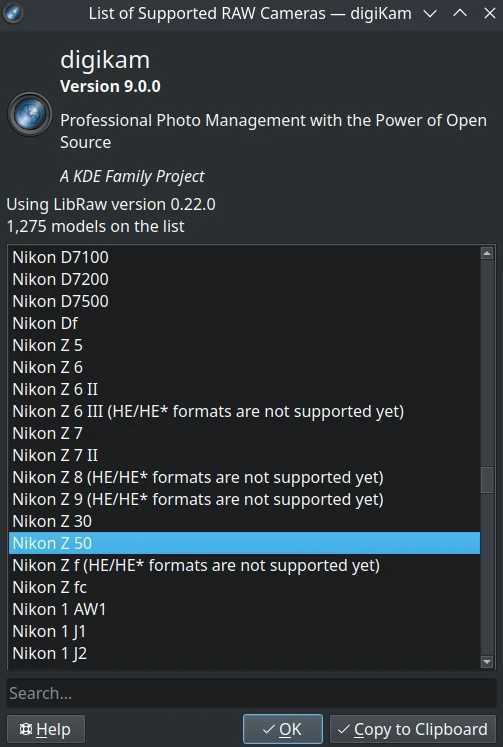
- Nikon: Z6-III, Z f, Z30, Z8 (standard compression only)
- Olympus/OM System: OM-1 Mark II, TG-7, OM-5
- Panasonic: GH7, S9, DC-G9 II, DC-ZS200D / ZS220D, DC-TZ200D / TZ202D / TZ220D, DC-S5-II, DC-GH6
- Pentax: KF, K III Monochrome
- Sony: ZV-E10M2, UMC-R10C, A9-III, ILX-LR1, A7C-II, A7CR, ILCE-6700, ZV-1M2, ZV-E1, ILCE-7RM5 (A7R-V), ILME-FX30, A1
- Multiple DJI and Skydio drones
- Tested with multiple smartphones with DNG format recorded.
User Interface and Usability
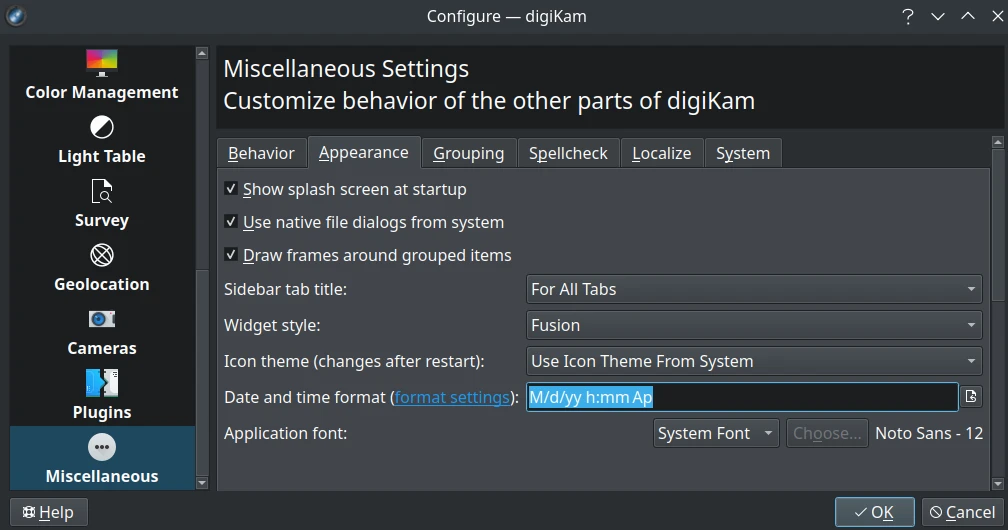
Customizable Date Format
Users can now customize the date format displayed throughout the program, including the option to show seconds in the shot timestamp.
Welcome Page
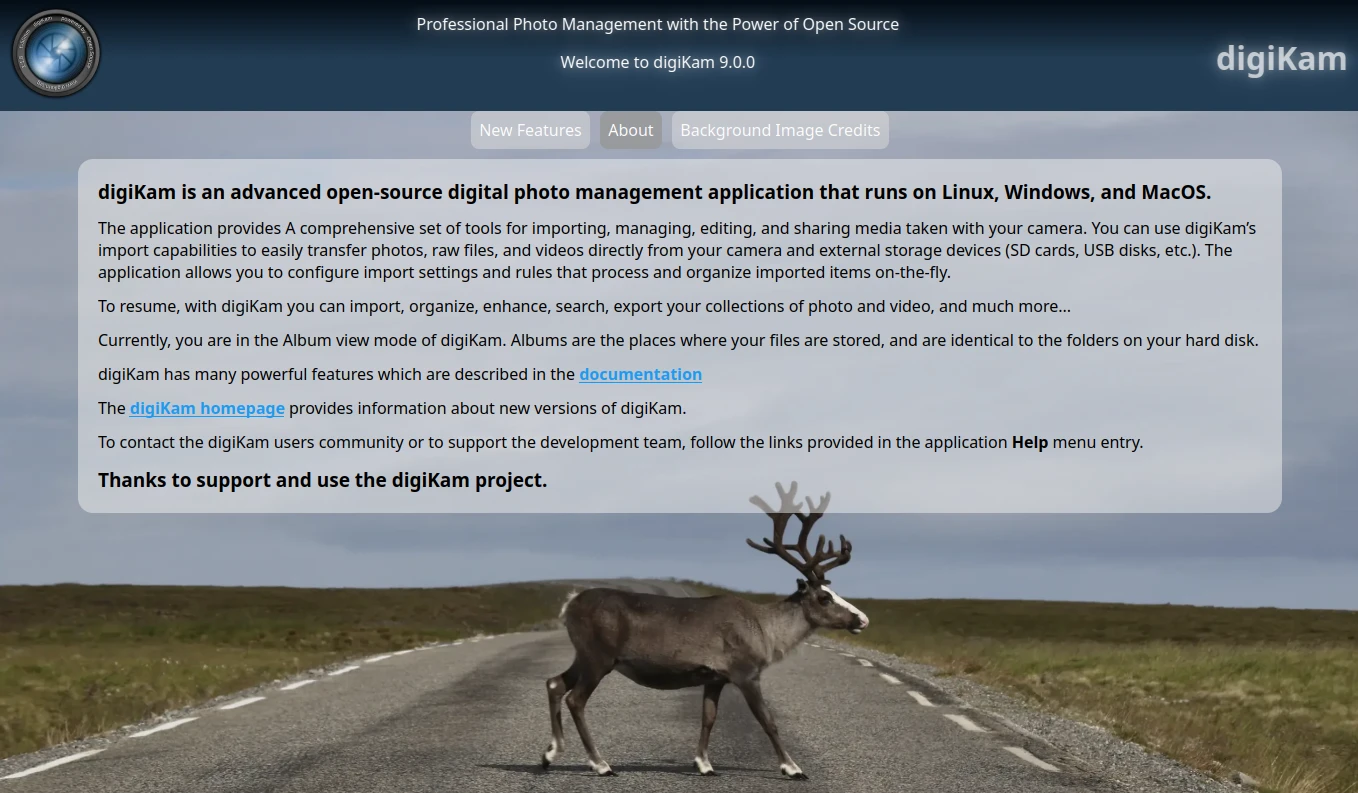
The welcome page has been completely rewritten in a modern style, offering a more intuitive and visually appealing introduction to new and returning users. Preview implementation used bootstrap web framework plus QtWebEngine module from Qt Which introduced unpredectible instabilities especially under Windows. All code are now replaced with C++/Qt code.
Color Labels
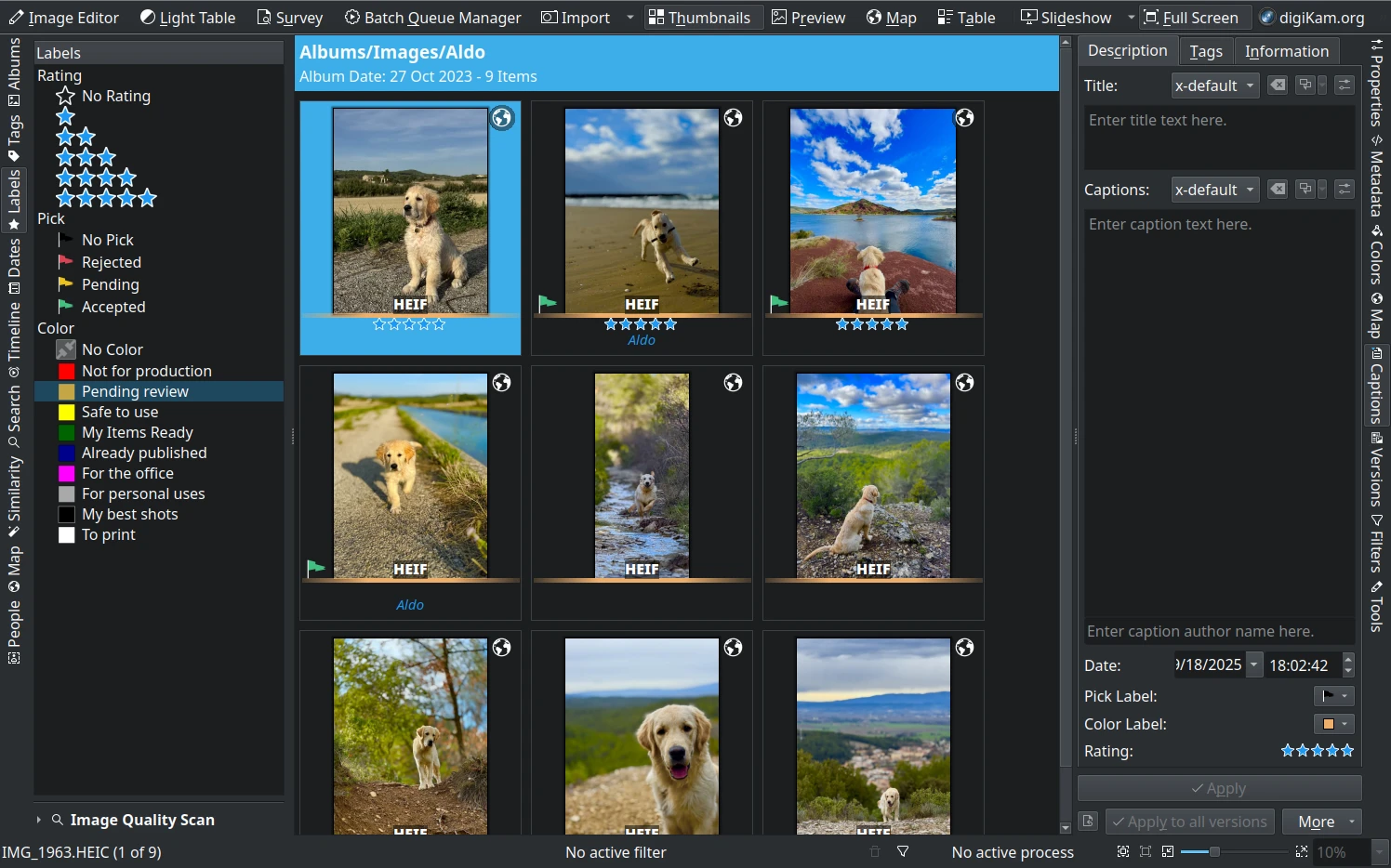
Color label names are now customizable in the Labels tab from the left sidebar by double-clicking on the text. Label strings are limited to 32 characters for clarity.
Setup Collection Ignore Dirs
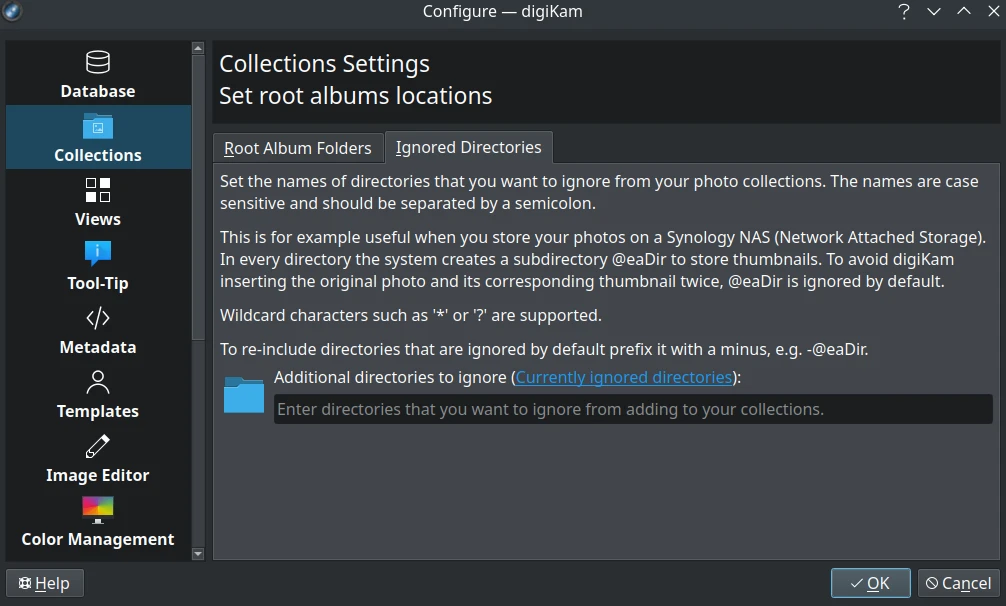
Added regular expression wildcard support for ignored directories settings, allowing more flexible and powerful exclusion rules.
Filter Items
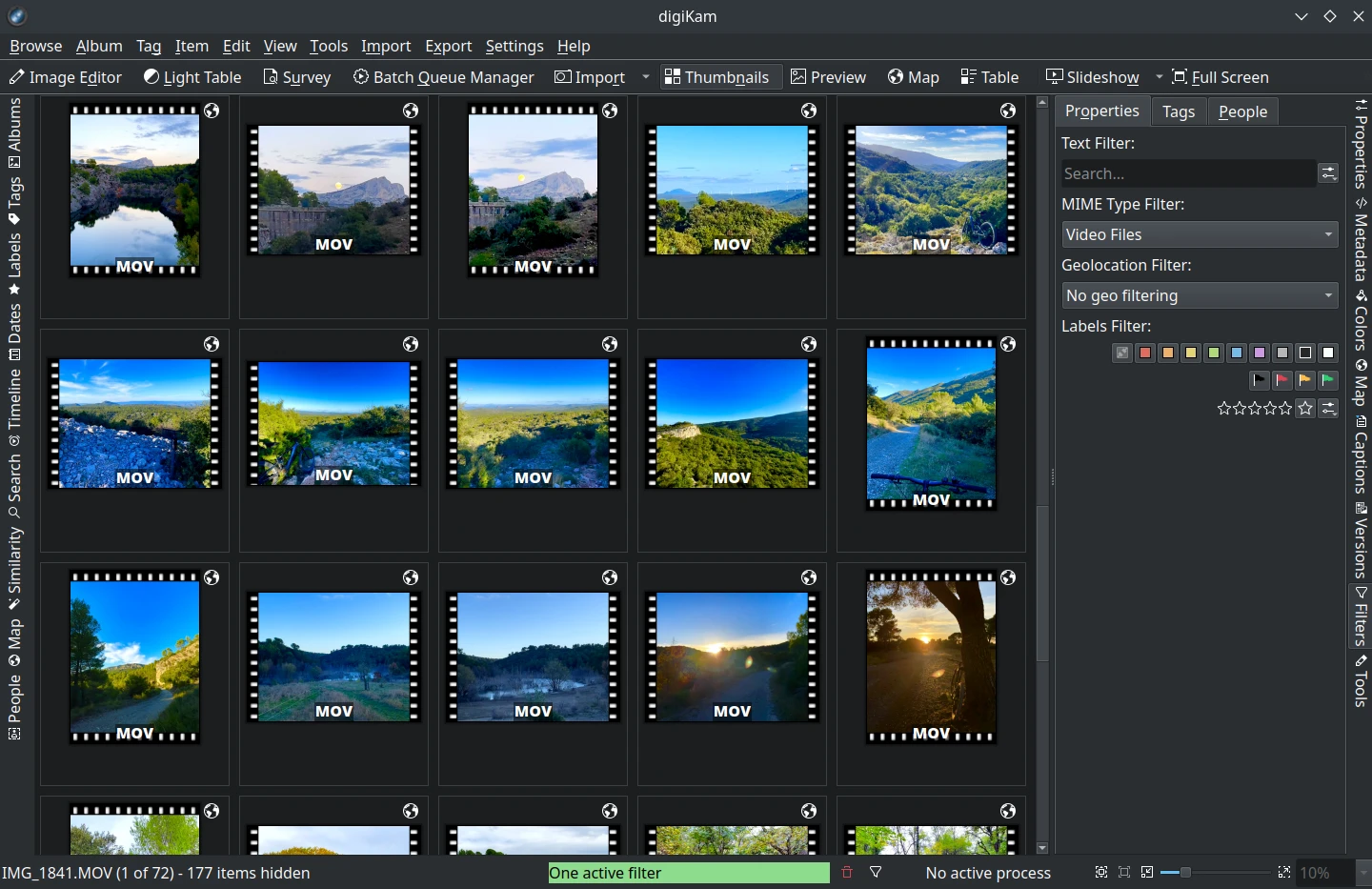
The filters view has been split into three separate tabs for better usability: Properties, Tags, and People.
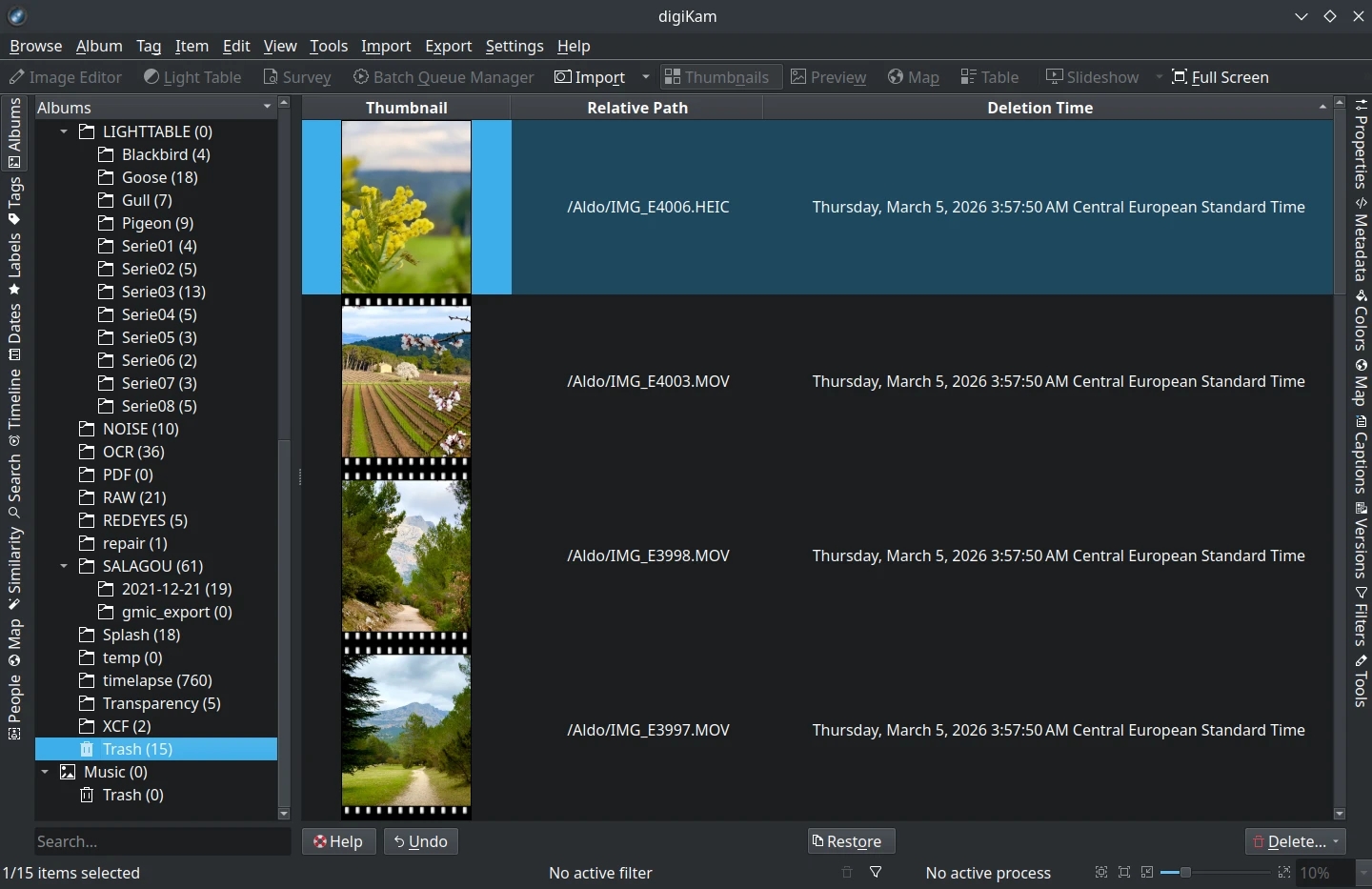
Trash View
Column states are now saved and loaded between sessions, improving workflow continuity.
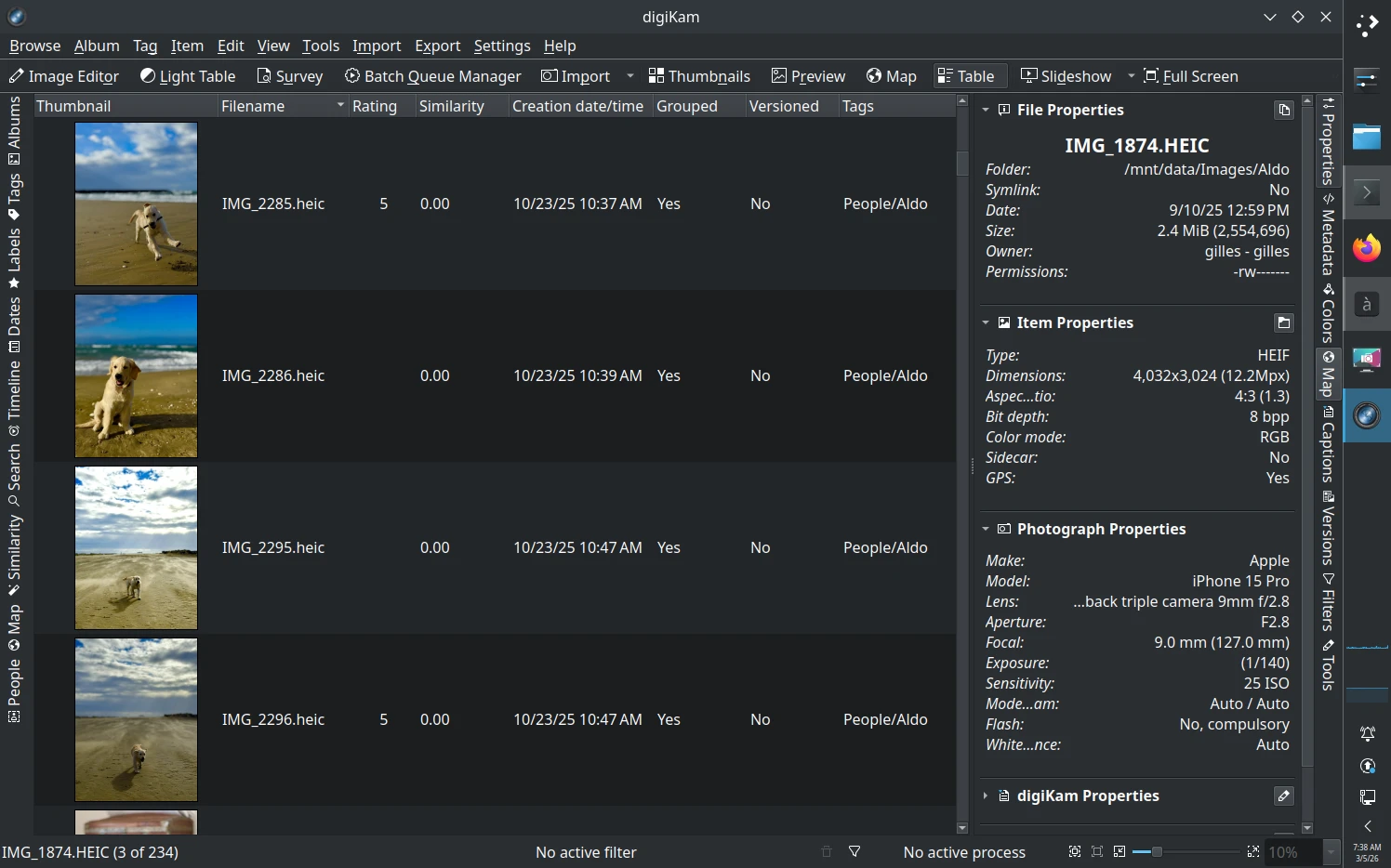
Icon-View and Table-View
- Clicking on the GPS icon overlay now opens the Geolocation tab from the left sidebar.
- Customizable columns for “Grouped” and “Versioned” properties have been added to the Table-View.
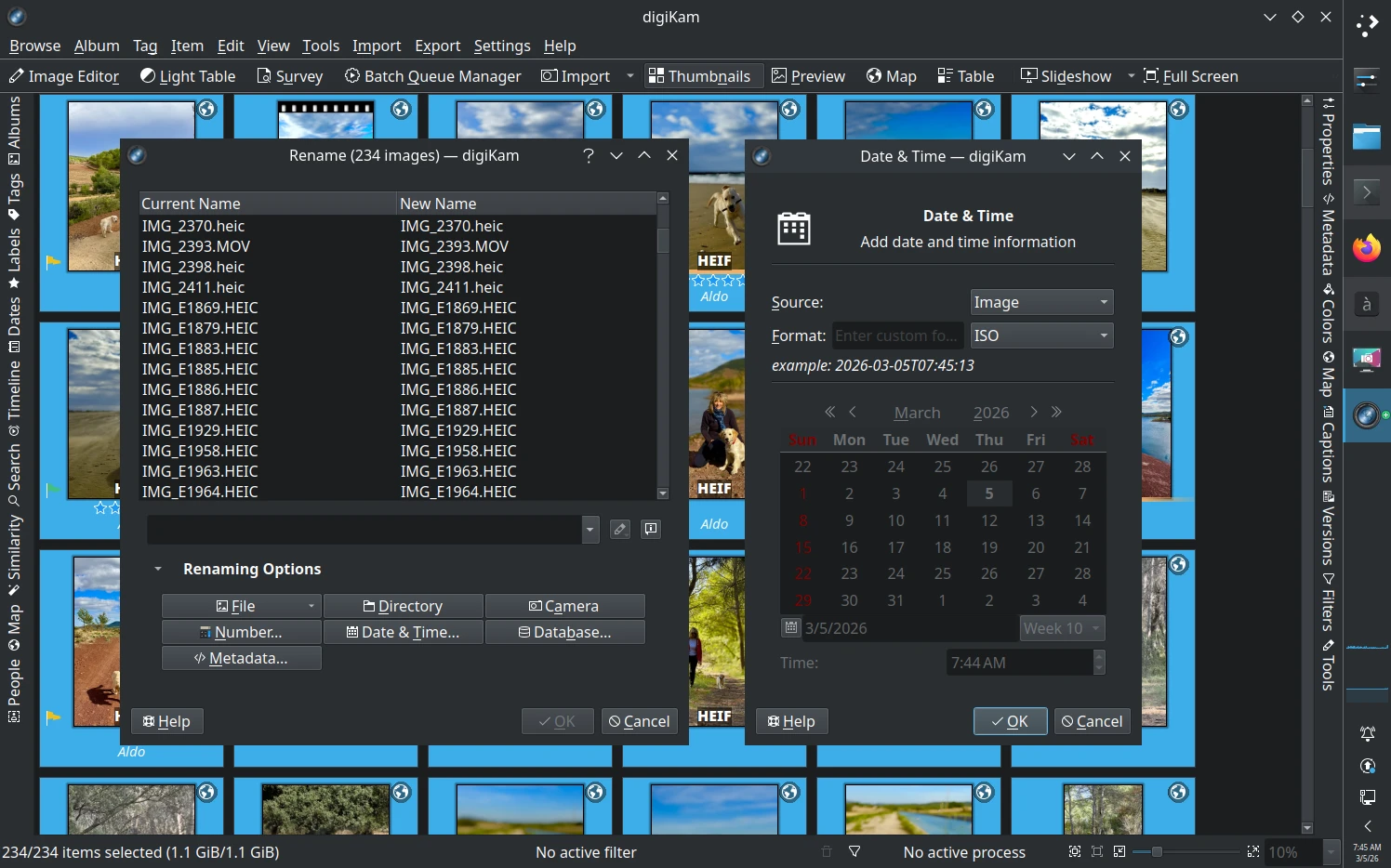
Advanced Rename
A new “Date Format” modifier has been added for more flexible file renaming.
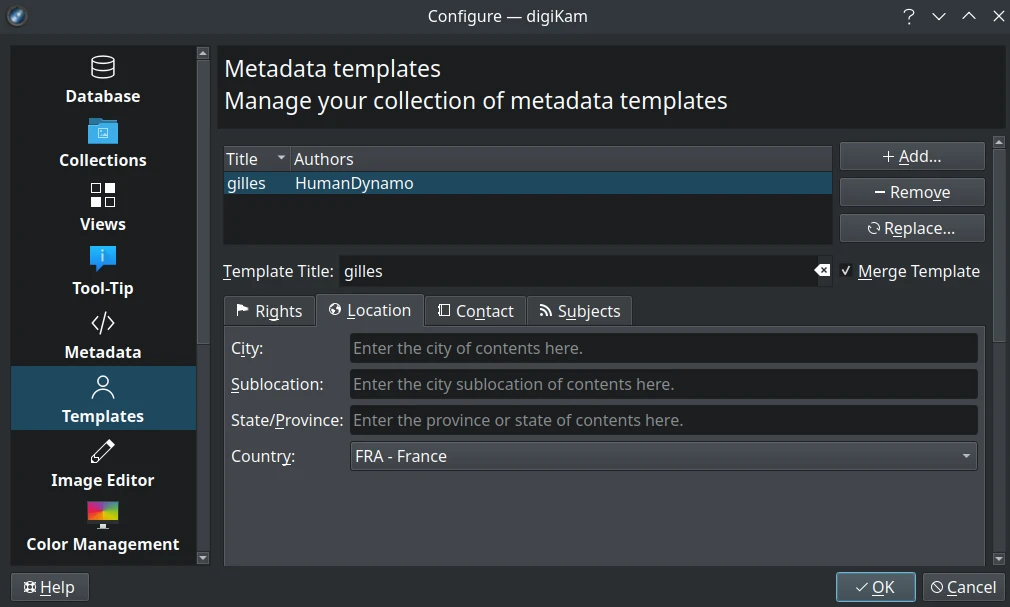
Template Management
Users can now merge existing template entries assigned to items with a new template, streamlining metadata management.
SlideShow and Presentation
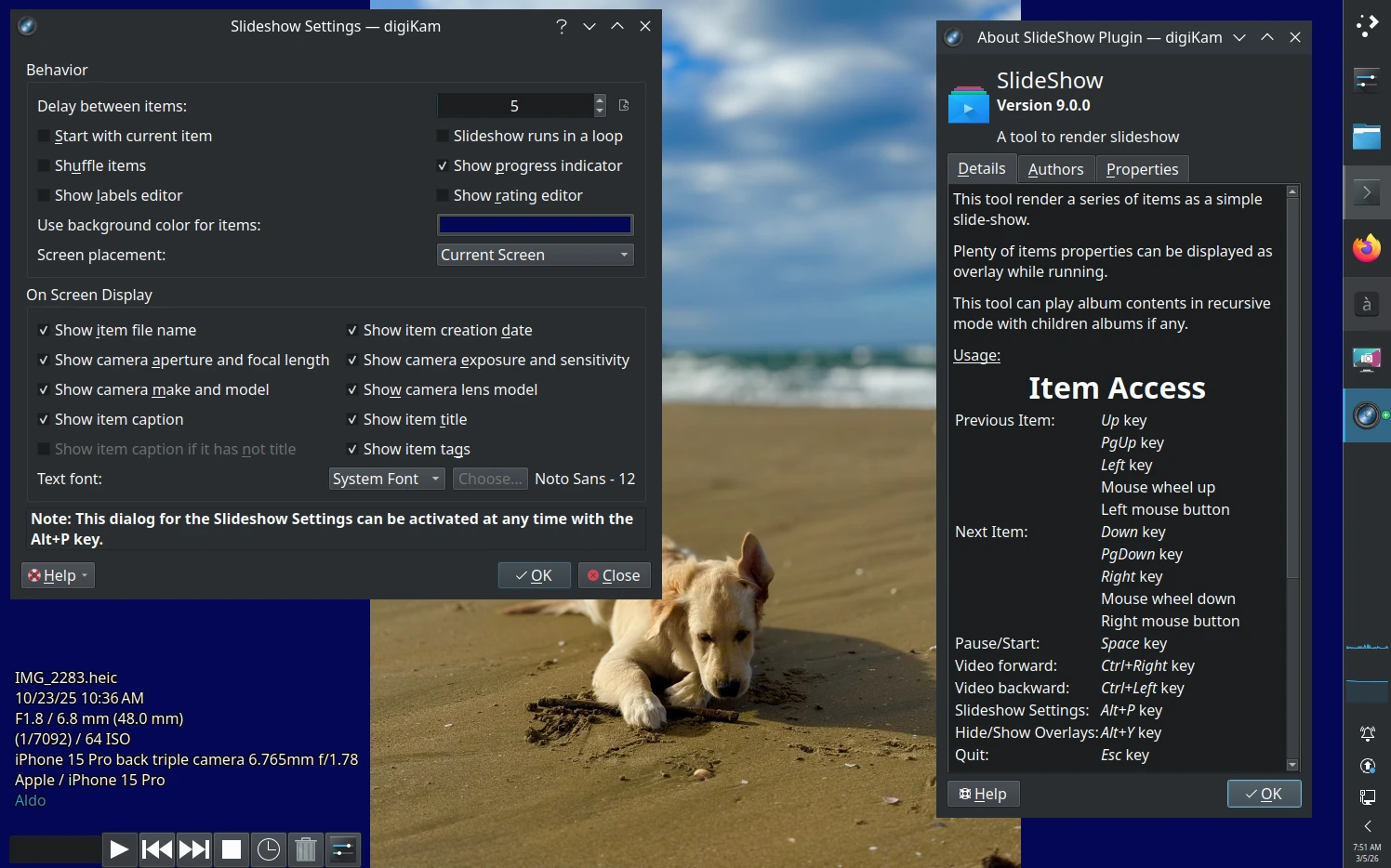
New options allow customization of the background color for images with transparency, replacing the default black background.
File Copy and Transfer
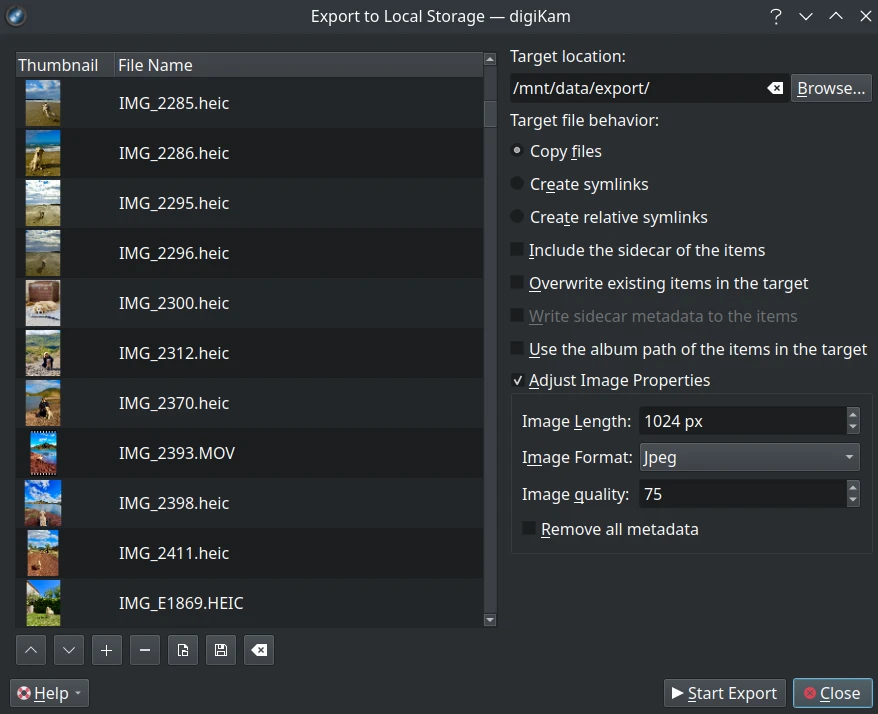
The GUI for file copy and transfer has been completely rewritten for better usability and clarity.
Metadata and Tag Management
Item Properties
- A new button allows copying all properties as text to the clipboard.
- A new button opens the current item in the file manager.
- If no icon-view item is selected, the current album statistics are displayed.
Grouped Items
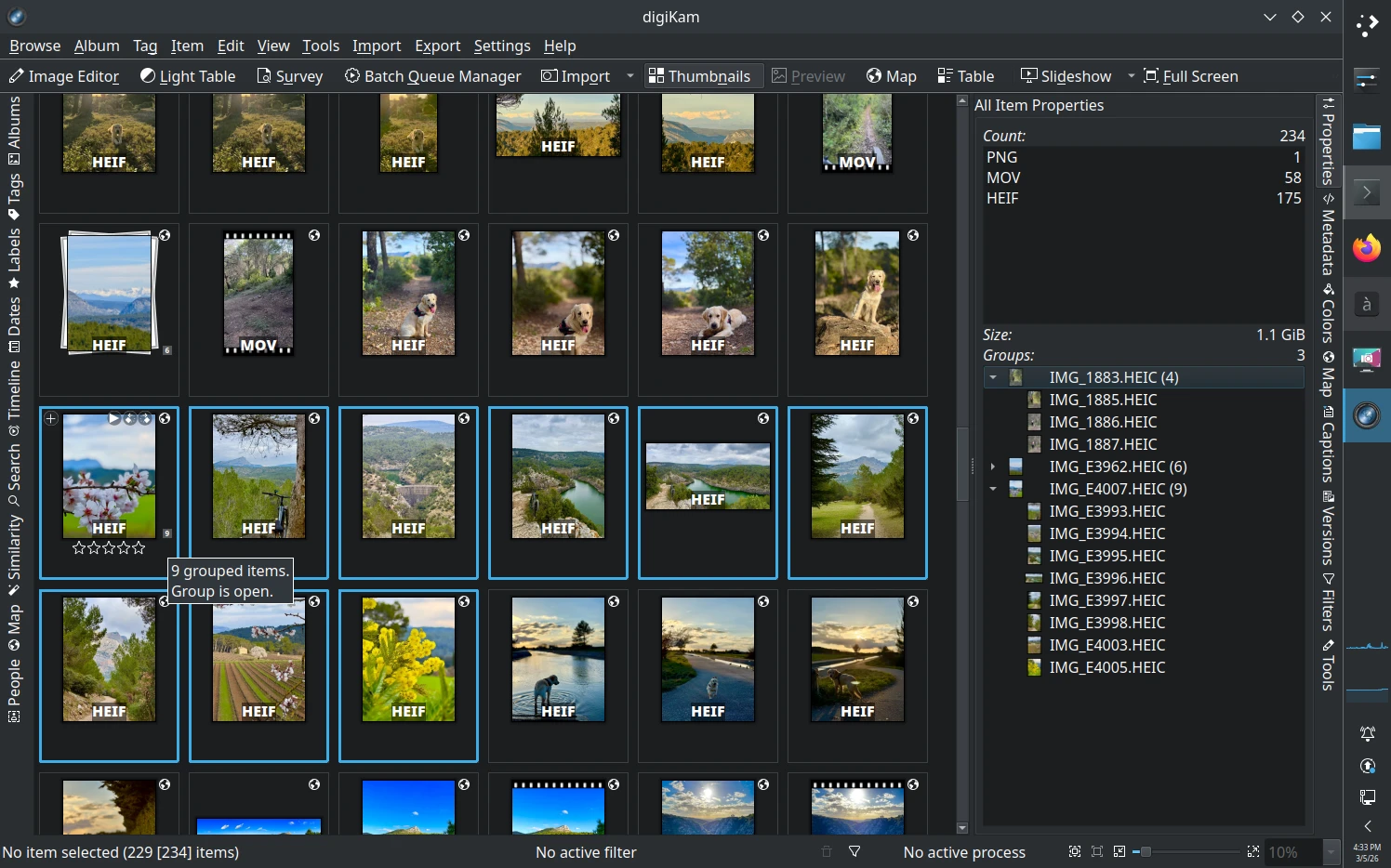
- Items from an open group are now highlighted in Icon-View for better usability.
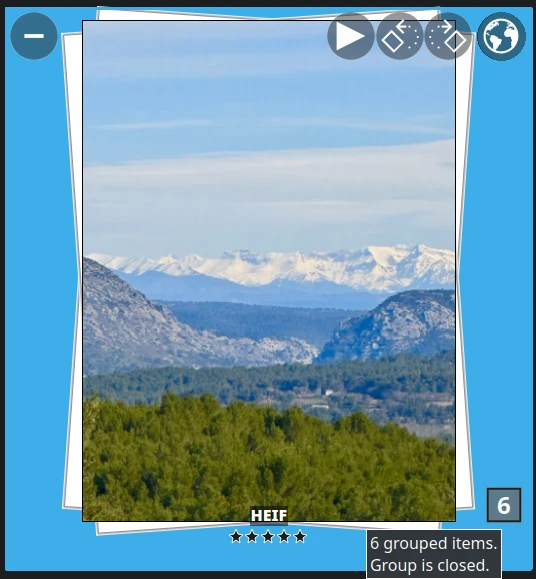
- Usability improvements for grouped icon-view items overlay and thumbbar visibility.
Preview and Media Support
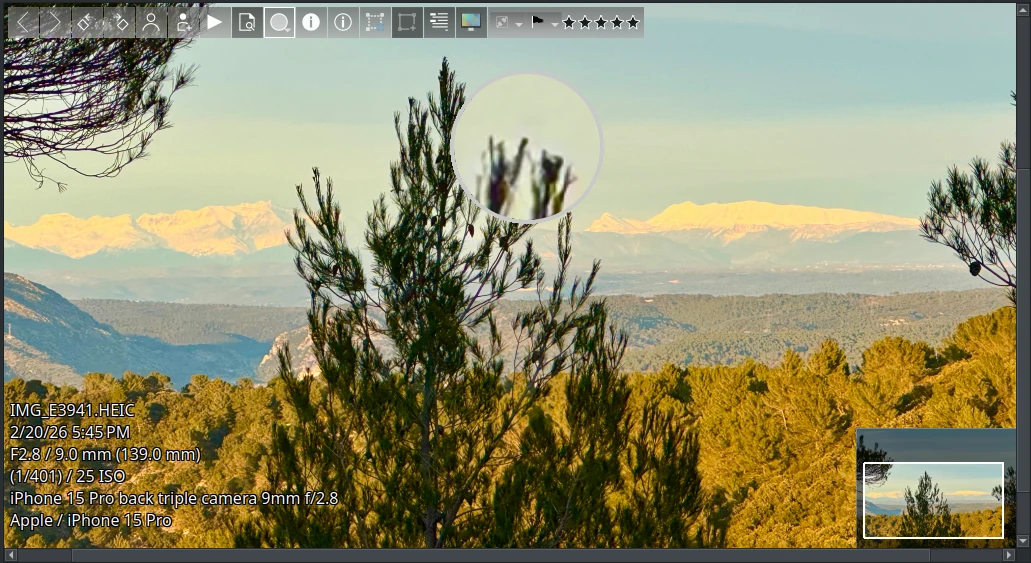
- The Image and Video preview toolbar overlay now includes a Labels editor.
- New toolbar buttons: exposure indicators, color management, OSD, and magnifier.
- A context menu has been added to the video player.
- A load progress indicator is now shown on the status bar (Icon-view and LightTable).
- Trackpad gesture events support zoom, pan, and item navigation.
- A magnifier glass tool allows zooming and exploring small areas of the preview canvas, with customizable size and zoom factor.
- Under and over exposure indicators are now available for the preview canvas.
- A railway overlay is displayed when scrollbars are visible.
New Survey Tool
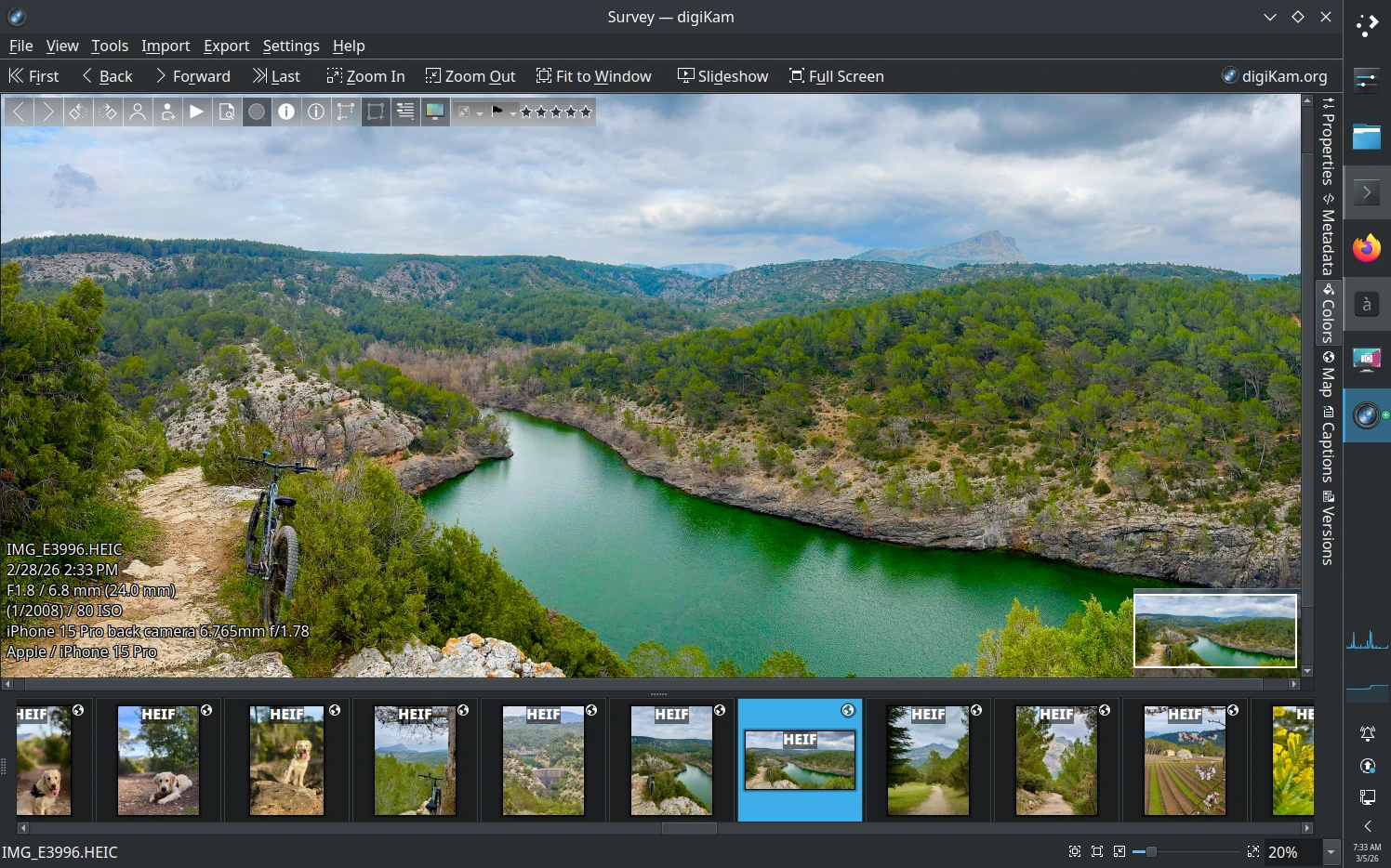
- A new tool called Survey will help photographers review items more efficiently in their workflow. This tool opens in a separate window, which can be displayed on a secondary screen or in full-screen mode if needed. It support all features available in preview mode.
Survey acts as a synchronized preview of the icon-view from the main window. It includes:
A thumbnail bar representing the current album being reviewed.
A central view displaying the photo or video, with the ability to zoom and pan for closer inspection.
The option to rate, assign labels, and add tags just like in the main interface.
A right sidebar for advanced properties, Geo-location, comments, titles, and more.
Direct access to all plugins (Slideshow, Metadata Editor, Export tools, etc.).
This feature was originally requested in Bugzilla wish 501292.
Editor and Plugins
G’MIC-Qt Plugin
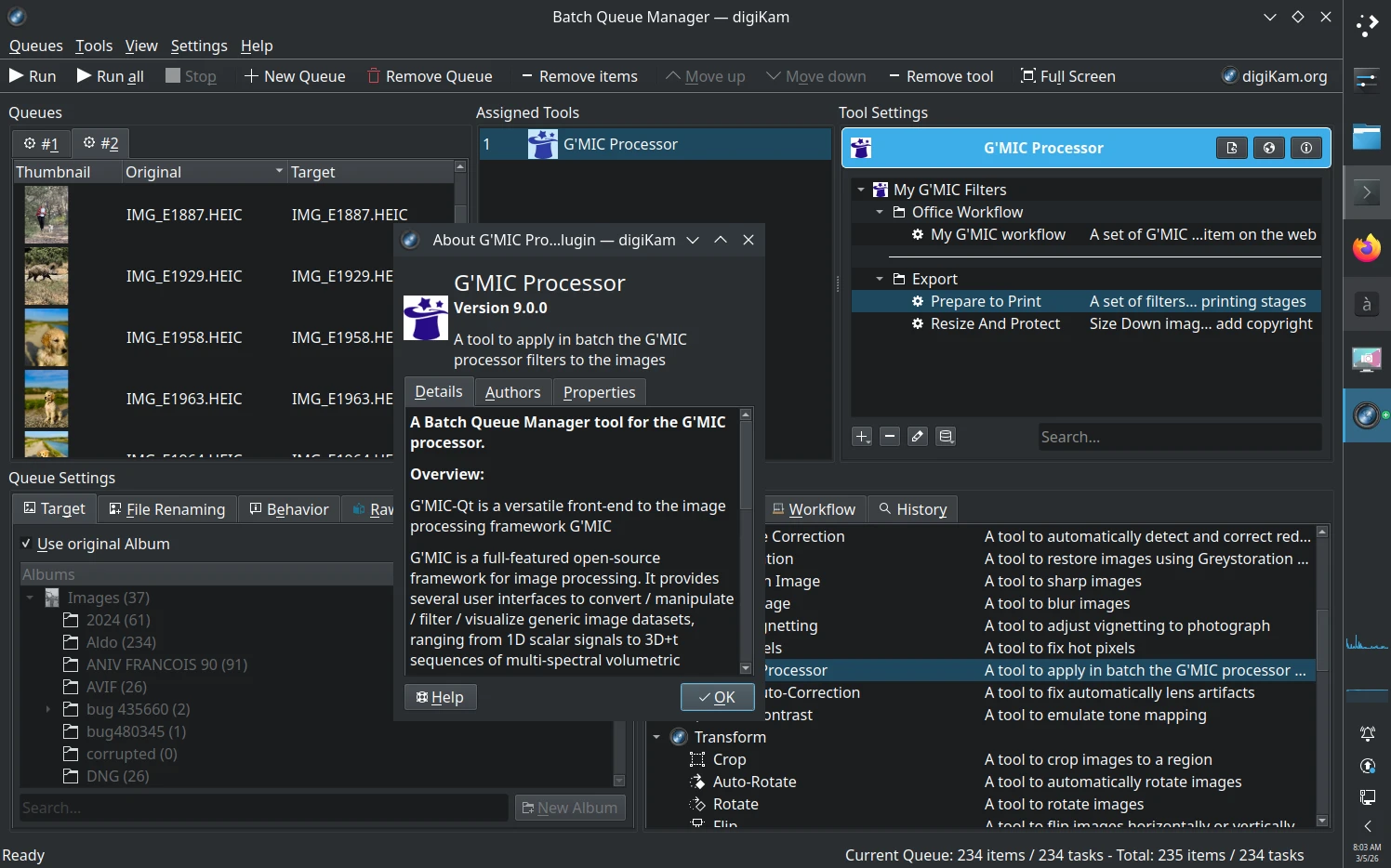
- The G’MIC-Qt plugin has been updated to the latest version, offering expanded image processing capabilities through hundreds of open-source filters.
Usability Improvements
- Added a marching-ants effect to the canvas selection rubber band for better visual feedback.
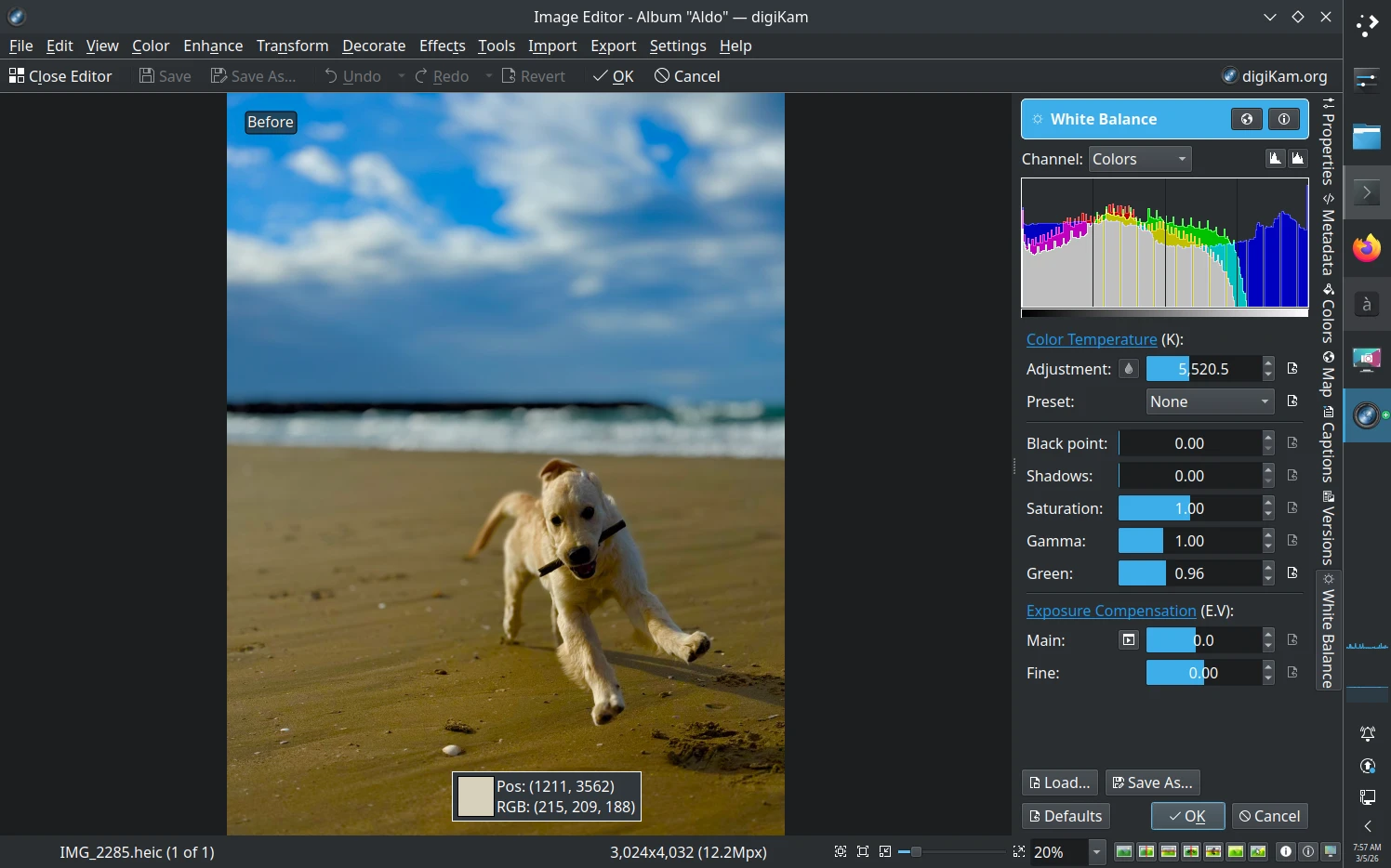
- Pick color histogram indicators have been added for the Curves, Levels, White Balance, and Black & White Sepia tools.
New Advanced Search and Sorting Options
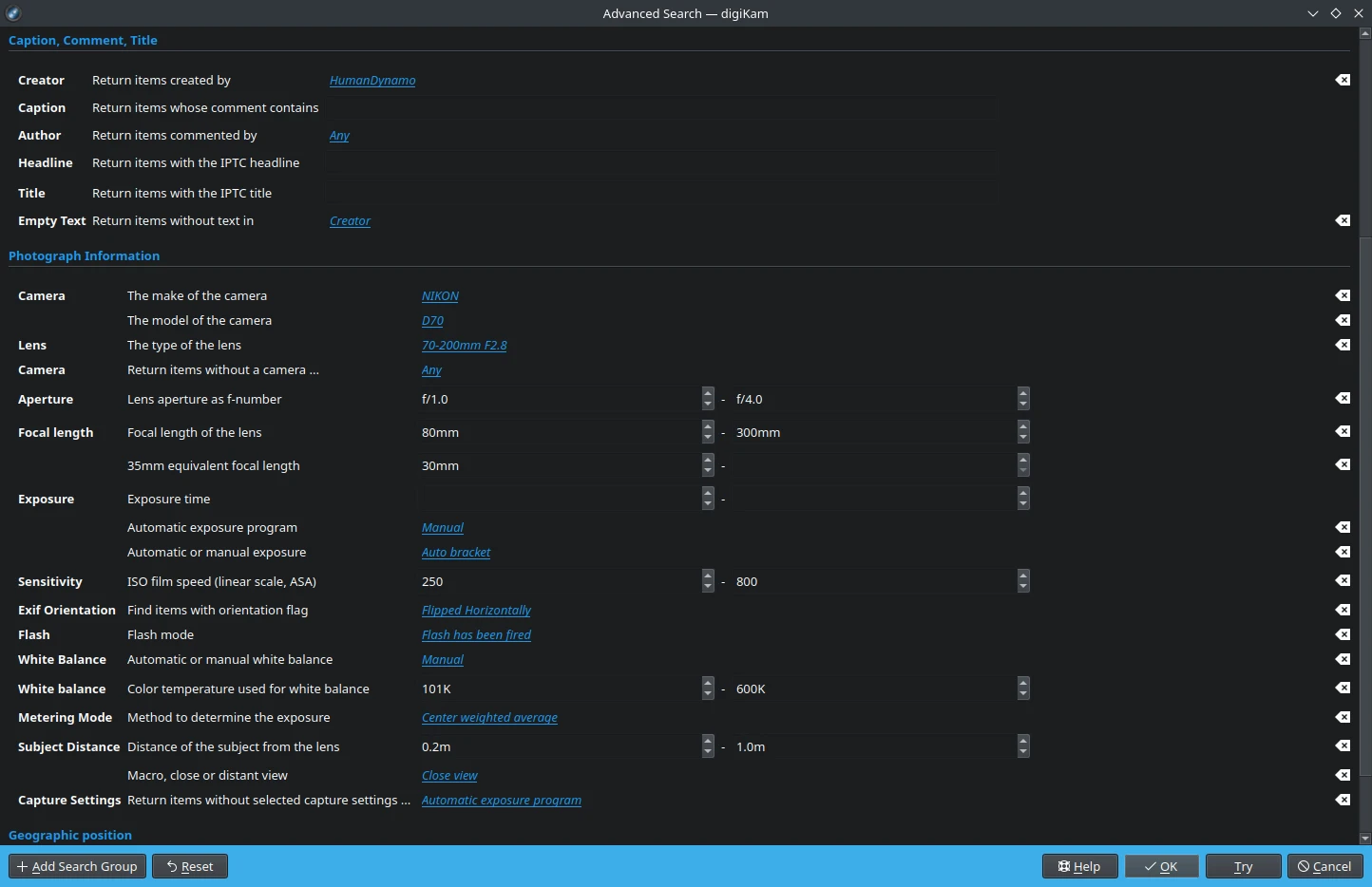
- Search for empty properties and recently modified items.
- New options to search for empty properties registered in the database.
- Support for searching Creator and Author fields as dropdown lists with values already present in the database.
- Support for searching recently modified items in the database.
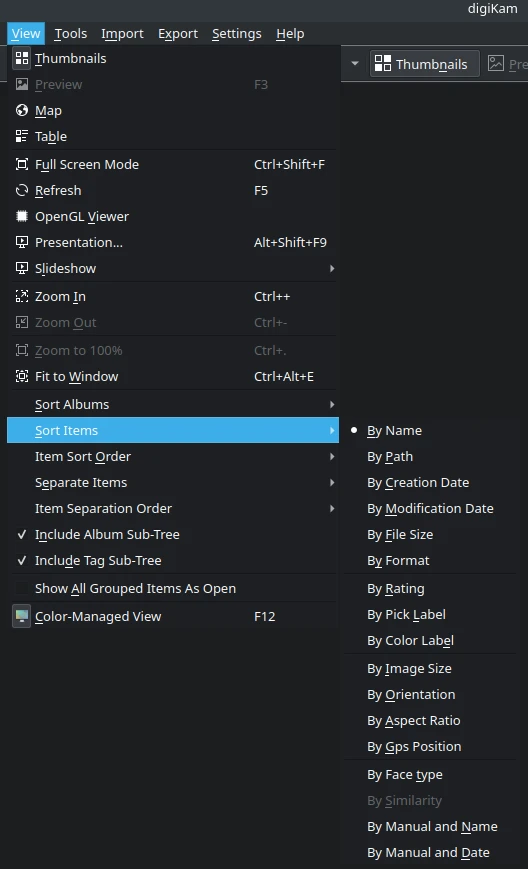
- Sort items by Pick and Color Labels in Album and Import Icon-View.
- Sort by Orientation, GPS Location, and File Format in Album Icon-View.
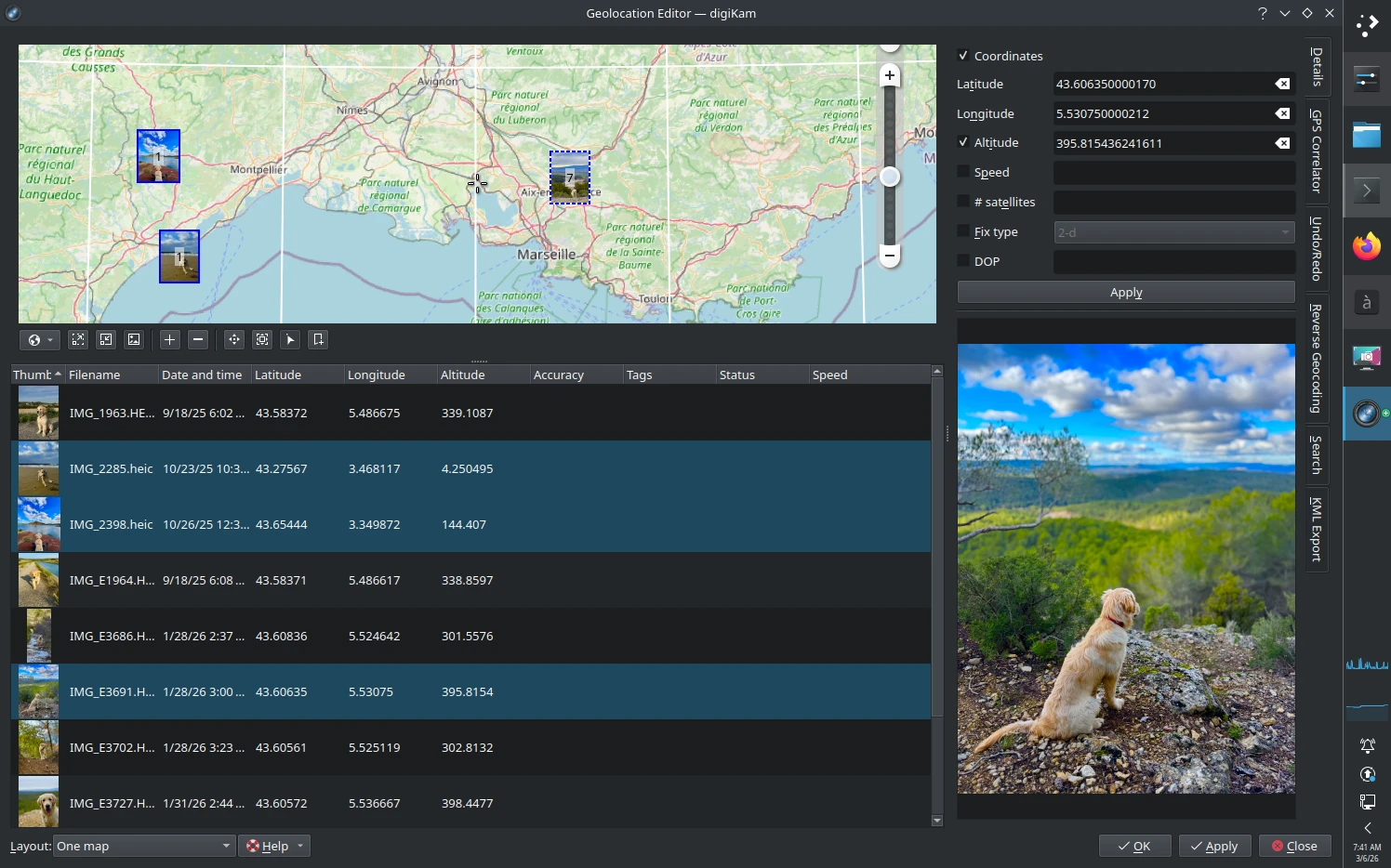
Geolocation Editor
- Bulk editing of geolocation coordinates across multiple images is now supported.
Performance and Stability
- Improved stability for Wayland sessions and Windows 11 background processes.
- Optimized database operations and face recognition performance.
- Enhanced thumbnail generation and display, especially for high-resolution screens.
Notable Bug Fixes
Metadata
- 180268: Search by specific metadata as Artist, Byline, Location, City, Country, etc… [patch].
- 351987: Allow to search by Country, City, Town when appropriate geo-location tags exist in database.
- 515664: Wrong Exif orientation in stored image files when auto rotating.
- 515275: Cannot change metadata.
- 362638: Reading Darktable metadata.
- 512689:
Write Metadata to Filein the Item menu does not work. - 512351: Lens ID not picked up for Nikon Z50.
- 512040: The existence of a regular tag named the same as a tag under People prevents face detection.
- 512681: IPTC keywords integration in the database.
- 510699: Exported XML File does not contain Image Title.
- 510824: Missing Montenegro country in Metadata template editor.
- 497470: XMP-mwg-rs Info not read & written to JPG exif info.
- 510837: Thumbnail view shows only file name, although other items selected.
- 510990: iPhone 17 Pro Max Image won’t Rotate.
- 510364: Batch renaming - Same date format in the file name for all images.
- 511184: Rejecting or ignoring faces writes to image metadata, causing unwanted file modifications.
- 467560: Keywords assigned by Synology Photos is written in XMP metadata but not recognized by digiKam.
- 509374: Rating is not stored to all filetypes.
- 505484: Exiftool not used - not recognized.
- 496913: ExifTool does not exist or exec permission is missing.
- 407013: Incorrectly parses GPS.
- 490821: digiKam fails to write tags/ratings to image files.
- 485833: Metadata is ignored while importing in 8.3.
- 499017: Metadata is not written.
- 386291: Lazy synchronization.
- 458583: Typos are not correctable in at least some fields in IPTC metadata.
- 339273: Write file versioning information from database into XMP metadata.
- 514972: Exiftool does not create sidecar files for readonly elements.
- 516523: Face-tag export to heic-files.
- 516574: EXIF container is not created.
Database
- 511429: libmysql.dll Crash in Windows 10.
- 510791: Library scan stuck with JPG files.
- 511850: Rebuild Thumbnails results in digiKam hang “Not Responding”.
- 434101: Image Editor to save changes in DB to keep history.
- 502696: Rotation (and other metadata edits?) don’t work and soft-corrupts database-vs-EXIF state so desynced, on certain filetypes.
- 504711: Sync Metadata and Database ignores album selection.
Face Workflow And AI Based Tools
- 513885: digiKam crashed when confirming a picture frame as a person.
- 502929: Shift in People view.
- 512330: Running “Recognize Faces” from Right Click Menu Results in Progress Detail Window That with Unclickable Cancel Button.
- 512875: Allow to Ignore / Remove multiple detected faces at once.
- 512515: People View | Search-in Tab: Album filter not work.
- 511828: Face recognition settings incorrect after crash.
- 511184: Rejecting or ignoring faces writes to image metadata.
- 511363: Cannot delete auto keywords.
- 516078: Mouse-over does not display last entered face tag.
- 513837: AppImage crash few seconds after starting digiKam.
- 513885: digiKam crashed when confirming a picture frame as a person.
- 515564: Face recognition has stopped working.
- 515615: Face recognition is extremely slow.
- 510715: digiKam downloads AI files to user-specific storage.
- 510878: Image Quality scan - Preview images are blurred.
- 507341: Rebuilding face recognition database is very slow on 8.7.0.
- 515564: Face recognition has stopped working.
- 515615: Face recognition is extremely slow.
Thumbnails and Preview
- 401205: Identify grouped images in Preview mode.
- 427312: Add right click menu to thumbnails in Preview.
- 437592: Unable to open Grouped items in Preview window.
- 516031: Overlapping video sound in thumbnails/preview mode.
- 515606: Unable to rename video file after playing.
- 501292: Feature Request - Preview Image - Fullscreen on second Monitor.
- 510764: Disable video autoplay.
- 513386: digiKam Qt6: Full-size image preview fails.
- 513505: digiKam thumbnail view capture time does not display seconds.
- 494302: Add a new thumbnails creation option not based on embedded Exif preview.
- 515135: Setting date and time, crash.
- 515275: Cannot change metadata.
- 515606: Unable to rename video file after playing.
- 515208: Advanced Search filter for specific EXIF Orientation values.
- 492123: “Show Focus Point” behaviour in LightTable.
- 407657: Add Context Menu In Video Preview.
- 391435: Show a loading indicator when loading a picture in Preview mode.
- 302559: Add overlay to Preview Mode to edit properties as Labels and Tags.
- 221142: Show as overlay some editable information on the images with preview canvas.
- 431753: Show overlay with metadata in Preview mode.
- 513886: When jumping in Video the Video turns to landscape.
Geolocation and Maps
- 511622: Display focus rectangle for Nikon Z 5 ii pictures.
- 515664: Wrong Exif orientation in stored image files when auto rotating.
- 515726: “Copy Coordinates” in the map produces unrecognizable coordinates.
- 516762: OM System .orf location absent from map module.
- 511876: Bulk Editing Geolocation Coordinates Across Multiple Images in Geolocation Editor.
- 370016: Bad correlation rate with GPX file GPS Correlator.
- 515726: “Copy Coordinates” in the map produces unrecognizable coordinates.
Import/Export and File Management
- 487062: When an external image editing software is called up for the first time, an incorrect error message appears.
- 512507: Open with menu throws an error.
- 469627: Rotating images (left / right) don’t work.
- 510771: Trying to open .cr2 file with DarkTable throws exception.
- 510808: Confusing error message when Target Location does not exist in Export to Local Storage.
- 510808: Confusing error message when Target Location does not exist in Export to Local Storage.
- 512081: Drag to Change Size of Vertical Spacing in Right Sidebar for different components.
- 512925: Can’t load file after rotation (except in album view).
- 510980: Ghost albums appear when searching through Tags view.
- 513323: Adding a new metadata template overwrites existing one.
- 513486: No digikam and showfoto startings, kde-neon.
- 516523: Face-tag export to heic-files.
- 516574: EXIF container is not created.
Image Editor
- 258717: RGB values Missing.
- 266335: Curve Adjust Histogram is missing value indicator.
- 266026: Add new white balance pipette.
- 449082: Active selection outline is white, which is not visible on a white background.
- 398659: Marching Ants Selection Option.
- 412445: Adjust Levels: histogram is not the same when Default settings are restored.
Bundles
- 515957: Daily build Bundles are not updated to files.kde.org/digikam.
- 511429: libmysql.dll Crash in Windows 10.
- 513837: AppImage crash few seconds after starting digiKam.
- 501223: digiKam cannot use exiftool binary located in macOS system folder.
- 509534: Monitor profile not settable when using AppImage.
- 511868: digiKam not launching from AppImage.
- 512375: Build Instructions to integrate G’Mic-QT Tool missing.
- 509506: App does not appear in Apple Launchpad.
- 510941: Localization seems broken in digiKam-8.8.0-Qt5-MacOS-x86_64.pkg.
- 513232: Spanish translation not available in macOS.
General Stability and Performance
- 511159: System display color profile is not used correctly.
- 511092: Timeline arrows don’t work correctly.
- 512021: “Reject this suggestion” Results in “files awaiting synchronization”.
- 512237: Select all images with Ctrl-A works but is not highlighted in the ThumbBar above the preview.
- 512267: Advanced Search Tool work in a non-logical way on request about missing field.
- 512296: Double blank line in the Album Properties - Category combo box.
- 512361: Duplicate search (100% similarity) does not list results when choosing a sub tree.
- 512416: Adding tags by drag and drop is broken.
- 512385: Numbering in file rename not possible.
- 512142: Example in custom script documentation does not handle spaces in path.
- 512564: digiKam fails to start on X11 due to some icc-profile related error.
- 436040: Finding collapsed group items by name does not work.
- 458880: Search when show all grouped items as closed.
- 512674: Searching by images/similarity will not show results if the similar image is within a closed group.
- 512728: Searching for _v in filename to detect versions returns erroneous results.
- 404749: Feature request: Separate items by pick and color labels.
- 494034: Assign color picks and filtering on a color pick, change the color pick to none crashes digiKam.
- 355838: Sort images by orientation mode.
- 510760: Could NOT find Eigen3 5.0.0.
- 399916: Add new option to filter items Gps Location.
- 478101: Add a new option to sort by item file format.
- 512850: Downloadable epub manual will not open in ReadEra Ereader program, android OS 16.
- 512862: digiKam failed to start.
- 512887: Crash when work with many pictures > 2500.
- 512928: The compilation stops with an error in core_itemproperties_obj.
- 495508: Crash in image editor while opening Color Auto Correction.
- 513583: Possibility to use wildcards for folders in the “Ignored directories” part.
- 379207: Excludes folders from collections using RegEx.
- 406443: Dropdown menu in Advanced Search and Scanning faces difficult to navigate.
- 490464: digiKam Crashes upon Opening App.
- 513652: Thumbbar select all (ctrl+a) does select all but items are not marked.
- 474492: digiKam crash when creating digital signatures in Similarity.
- 502302: Crash in Qt version 6.8.2 from QtMultimedia framework with std::default_delete
::operator(). - 443616: Implement gesture support to zoom on touchscreen or touchpad laptop.
- 504482: Crash on launch after install.
- 463263: Enhancement Request: Make it easier to identify where unmounted Albums are located.
- 513774: “move to trash” should be shown in red.
- 513740: Crash while “Refresh” of album.
- 216900: Downloading photos from digital camera crashed digiKam.
- 218746: After connecting to my camera, I selected 3 photos to import, and when I tried to import, it crashed. downloads photos to parent album.
- 512651: Crash.
- 513819: Scripting plugin does not work at all in Windows as no environmental variables populated with filenames.
- 438840: Fail when reading images from LG-M250 Phone.
- 464832: Corrupted file causes crash on startup.
- 513760: digiKam crashes in FaceEditextract with
ASSERT: "!std::isnan(value)"in qnumeric.h when confirming a face from a HEIF/HEIC file. - 510043: JPEG files getting corrupted with 0kb.
- 497698: Reimport images to empty database - faces are not right in people tree.
- 513958: Saturation slider granularity too small.
- 467505: When launching the latest version of digiKam, the old internal MySql database cannot be started.
- 514047: No face recognition when albums are permanently monitored?
- 392008: Inconsistent behavior of “People” Tag.
- 416213: People tags appear duplicated after having moved them in the tag tree, if the tag was already present at /People/.
- 514061: Metadata lost on face tag change.
- 514127: New action preview bar not updating rating when changing rating with rating hotkeys instantly.
- 514156: Face Tags are not unique (Problem with unique assignment to image tags).
- 514272: digiKam very long at start.
- 514387: Old thumbnails are used after deletion.
- 514446: Go to Album and select photo automatically.
- 445349: Add a zoom magnifier glass widget over the preview canvas.
- 338894: Add over and under exposure indicator feature in preview mode.
- 514530: Add a convenient way to hide row of thumbnails in Preview mode.
- 514480: Application crash when trying to cancel ongoing FindDuplicate.
- 513611: Use scroll wheel to zoom in and out when in full screen view.
- 276480: Add zoom support in SlideShow tool.
- 280133: Add SlideShow new features: thumb-bar, rotation, and delete items.
- 380334: Customizable toolbar location with Navigation buttons and other buttons in Preview Mode.
- 514614: digiKam claims that ExifTool createdate is invalid.
- 477277: Allow horizontal scrolling in preview mode with shift-scroll.
- 359087: Preview image scroll position should be smarter when changing between images with different resolutions.
- 440787: Add new tool to perform a Survey View as LR.
- 484197: High DPI support gone. Barely usable. Back to 8.2.0.
- 514294: Language mix in UI.
- 506646: Flashing screen after installing digiKam.
- 495265: Album summary.
- 514767: [Performance] Ignored directories should not be scanned at all during “Find new items”.
- 514764: “Find new items” background task is not stopped when closing digiKam.
- 423993: Allow rightclick on thumbnails in preview mode.
- 494302: Add a new thumbnails creation option not based based on embedded Exif preview but on the full image data.
- 515135: Setting date and time, crash.
- 479133: Add a new option to search for empty/zero length metadata property fields.
- 467715: No option for searching for empty/zero length location fields.
- 514028: Crash on Startup.
- 515541: Tags not showing.
- 515679: Not all photos have their metadata updated.
- 515078: Mouse-over does not display last entered face tag.
- 516049: digiKam fails to start.
- 514323: In the Album view, I’m unable to drag/move any file that is non-static (i.e. mp4s, gifs etc).
- 515208: Advanced Search filter for specific EXIF Orientation values (Flipped/Rotated).
- 506110: Symlinks should be followed when using drag&drop (relative symlinks get broken).
- 513797: Add “Modified within last X time” option to Advanced Search.
- 516472: Panorama error with UNC path.
- 510691: Renaming files with the same name but with a new, different sort order in a folder.
- 516516: Bug 510691 - addition: Photos get deleted!
- 516762: OM System .orf location absent from map module.
- 516929: Batch Queue Manager Adjust Time isn’t able to use ExifTool.
- 516863: Removing Album, “digikam” Freezes.
Internationalization
digiKam 9.0.0 supports 61 languages for the application interface, and the online documentation now supports 17 languages, including the newly added Brazilian Portuguese. Users can change the language via the Settings/Configure Languages dialog.
Future Plans
The next maintenance release is planned for mid-2026, focusing on further Qt 6.10+ migration, performance improvements, and the introduction of new AI-powered tools for image enhancement, management, and workflow automation.
Final Words
We extend our heartfelt thanks to all users for their support, feedback, and donations. Special thanks to all contributors, testers, and translators who made this release possible.
digiKam 9.0.0 is available for download from this repository as:
- Source code tarball
- Linux 64-bit AppImage bundles (compatible with systems based on glibc >= 2.31)
- Windows 10 (or later) 64-bit installers or bundle archives
- macOS Silicon and Intel packages
Stay tuned for more updates, and enjoy seamless photo management with digiKam 9.0.0!
The digiKam Team
