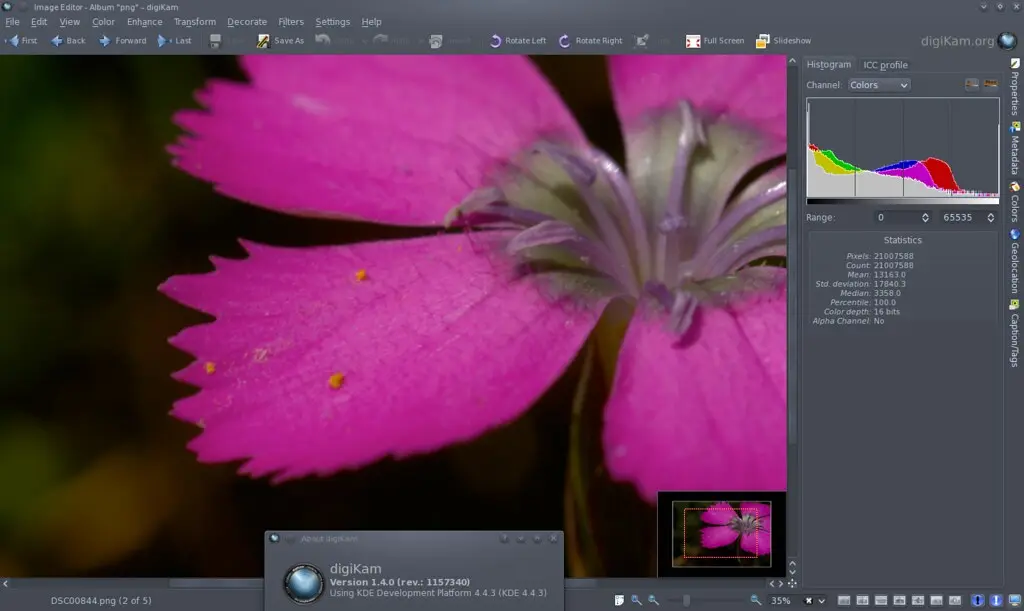
digiKam team is proud to announce digiKam 1.4.0 release!
digiKam tarball can be downloaded from SourceForge at this url
See the list of new features below and bug-fixes coming with this release since 1.3.0
Enjoy digiKam.
NEW FEATURES:
AdvancedRename : New modifier “Remove Doubles”.
BUGFIXES FROM KDE BUGZILLA:
001 ==> 238285 : Nikkor 18-200mm not detected by lens autocorrection. 002 ==> 232233 : Databaseext-branch does not compile on Windows with mingw4. 003 ==> 241782 : Tags, comments, author, etc. not written to metadata. 004 ==> 232792 : digiKam crash when opening configuration. 005 ==> 242863 : Caption field layout can be confused by pasted text. 006 ==> 242937 : When using raw import tool, showfoto cannot export the processed image. 007 ==> 243696 : digiKam didn’t detect my local collection anymore after replacing internal harddisk. 008 ==> 243747 : Comment which is stored in database can’t be accessed via digiKam. 009 ==> 216273 : digiKam exif gps not in xmp. 010 ==> 244114 : “Find similar” works for a single image, but “Find duplicates” doesn’t work for a directory. 011 ==> 244151 : Renaming image files causes them to vanish from an album. 012 ==> 241418 : LZW compressed TIFFs from RawTherapee are won’t display. 013 ==> 212848 : Crashed in slideshow while viewing. 014 ==> 245061 : [patch] “Restore Tag Filters” is broken, works only for top level nodes. 015 ==> 245336 : Image editor does not remember camera profile under Custom. 016 ==> 243692 : digiKam uses all memory with thumbnails. 017 ==> 226544 : Suspicious QModelIndex messages at startup. 018 ==> 240945 : Picture size does not report correctly after gimp. 019 ==> 245380 : Improve the ergonomics of the bwsepia filter ui. 020 ==> 204568 : Metadata not being written to files. 021 ==> 246938 : Extension aware rename (maintain raw file and jpg association by basename). 022 ==> 247850 : digiKam 1.3.0 crashes. 023 ==> 247590 : digiKam not checking if libexiv2 was compiled with xmp support. 024 ==> 246774 : Create New Tag vs Create New Tag in. 025 ==> 246675 : Crash on startup/scanning folders. 026 ==> 225471 : Change digiKam to follow usability guidelines. 027 ==> 248549 : digiKam crash at startup (suse’s backport repo).
So...without any long prologues - (hold your breath now) - it's working! (Say WOW™). But how well does it work you ask? Pretty good! Ok ok, let's get some overview.
You open some image in digiKam's image editor, you add some filters, do some transformations, use some color-altering-stuff until you're satisfied with your creativity. Then you simply close the editor, autosaving kicks in, and bam, you have new version of your original image, which stayed completely untouched. Available versions can be then viewed/switched in the new sidebar widget (see pic below). The sidebar allows you to display all the available versions either as a simple list or as a tree, which is basically the same list with padded entries to reflect the relations between the images. Later it will also be possible to do some file operations in the sidebar, like Copy/Move/Remove etc. In the main view with thumbnails, (sub)versions are now marked by an (ugly) icon as you can see in the screenshot below, but I'm looking forward to hear your ideas about how to mark them in some better way (of course it will be on/off switchable). Let us hear your ideas or see your mockups!
Using digiKam? Show this to the world with some classy stickers from World Label. If you use digiKam to process and organize your photos, you have a chance to win 5 sheets (18 stickers each) featuring an original design. And you can download the template and print stickers yourself, too. Continue to read
I'm very happy to announce you that the reverse geotagging widget is finished! This was the first part and maybe the most important part of my project in this year Google Summer of Code, so I'm glad to see it working. The reverse geotagging widget will be included in kipi-plugins 2.0 release which should be around december 2010. Also, I would like to mention that the world map, the image list and the other widgets(except Reverse Geotagging widget of course) from Geolocation widget are the work of Michael G. Hansen(my GSoC mentor).
While there are many ways to protect your photos from unauthorized use, watermarking still remains the simplest and probably the most effective technique that can help you to identify you as the creator and make it difficult to use your works without permission.
Although digiKam supports watermarking, this feature is hidden so well that you might not even realize that it’s there. This is because the watermarking function in digiKam is tucked under the Batch Queue Manager tool which you can use to watermark multiple photos in one go. Here is how this works in practice.Continue to read
Aditya Bhatt working on implementing automatic tagging of faces for digiKam, with face detection and recognition. For that, he have been working on a library named libface that does the detection and training/recognition. Continue to read
Can’t wait till the latest version of digiKam appears in the official Ubuntu software repositories? You don’t have to: using the personal package archives (PPA) provided by the Launchpad service, you can install the latest release of digiKam with a few simple commands. Continue to read
digiKam offers several features that can improve photos containing under- or overexposed areas. For example, the Exposure Blending tool lets you merge multiple shots with different exposures into one perfectly exposed photo. But what if you have just a single image? In this case, you might want to give the Local Contrast feature a try. Continue to read
few days ago I blogged about the progress of non-destructive editing in digiKam. According to your comments, I take it that there is some misunderstaning in the whole concept. So let me explain it to you :)
The non-destructive editing will be done in such way, that if (and only if) you do some edit to some image, there is automatically created new file, which is a copy of the original with applied changes and with list of edits you've made saved in metadata. Next edit you do, is again applied to the same already-created version and the list of edits in metadata is updated. This is done for example for you to be able to edit the edited file with some external app, let's say GIMP. If there would be only the list of edits stored somewhere, you wouldn't be able to edit it with nothing else until you'd export it from digiKam.
little update about the progress that has been made. So far, there are no visible changes to the user yet (if you don't count tons of new debug stuff on console), all work has been done under the hood. The good news is, that the basics for non-destructive editing has already landed in the codebase. You can now use Brightness/Contrast/Gamma tool and the Autolevels tool in such way, that it will automatically create new version of the edited image, apply the changes on the new version, move the original version to "Originals" folder located in original image's path (will be fully configurable) and save the new version as {originalImageName}_v1.{originalImageFormatExtension}.