My name is Gabriel Voicu, I am 20 years old and I come from Bucharest, Romania where I'm studying Computer Science and Engineering at University Politehnica of Bucharest. I enjoy programming, playing basket-ball and spending time with my girlfriend.
I was very happy when I saw that I was accepted to this year Google Summer of Code with the project "Reverse Geocoding and Improved Map Search" because I consider this feature very useful when talking about images geotagging.
Hello to all the great KDE people and especially digiKam fans!
My full name is Martin Klapetek, but everyone calls me Marty and I can be found on most services like IM or IRC by the name mck182. I'm 22 and I'm from Czech republic and ever since I started with Linux, I immediately become a huge fan of KDE (3.5 back then). I'm a terrible musician (playing guitar, bass guitar, sometimes even piano [you don't want to be there]), promising art painter and hopefully-soon-to-be graduated college student with bachelor's degree in Computer Science.
digiKam team is proud to announce Kipi-plugins 1.2.0 !
kipi-plugins tarball can be downloaded from SourceForge at this url
Kipi-plugins will be also available for Windows. Precompiled packages can be downloaded with KDE-Windows installer. See KDE-Windows project for details.
See below the list of new features and bugs-fix coming with this release:
NEW FEATURES:
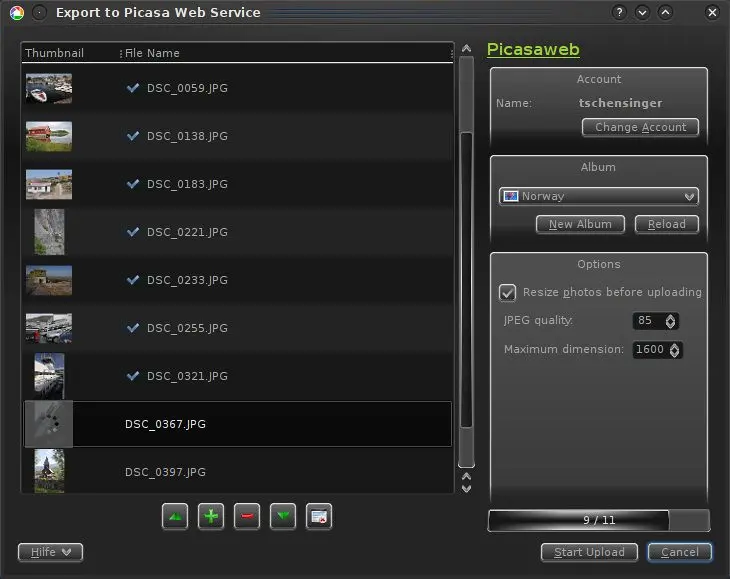
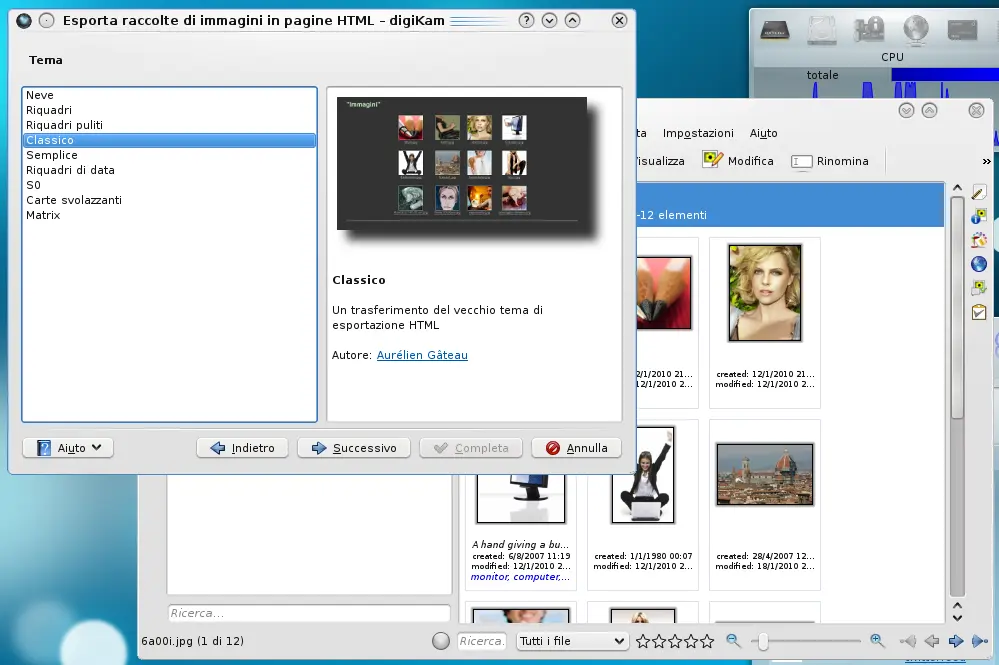
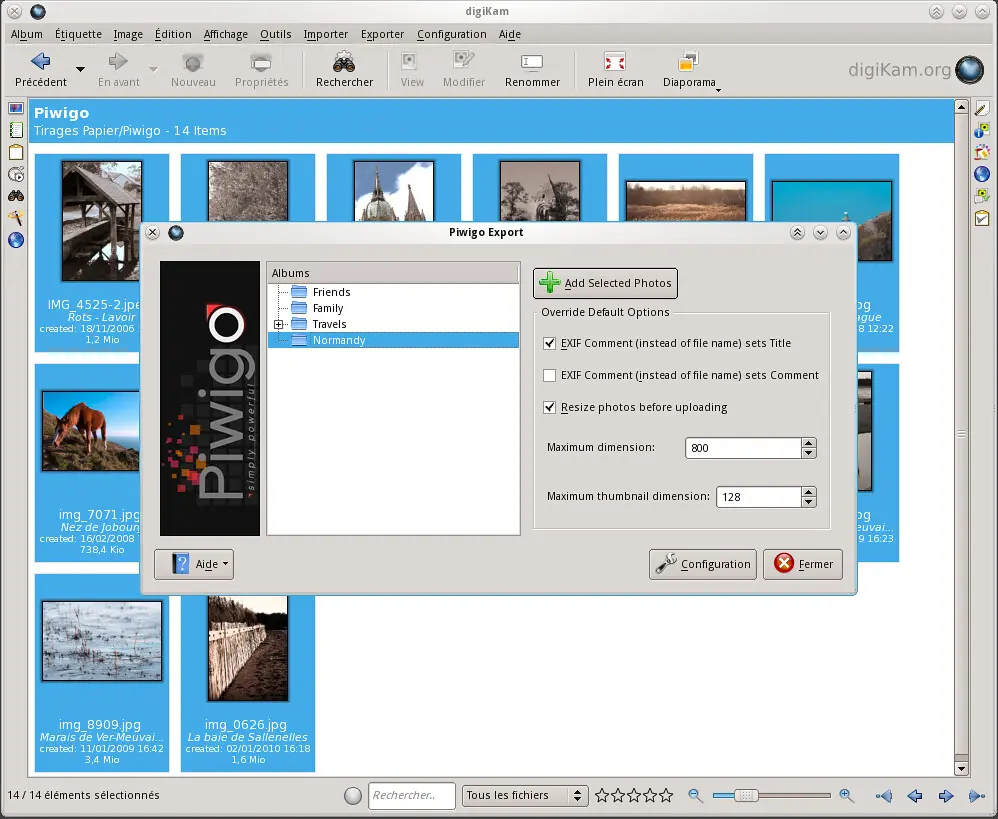
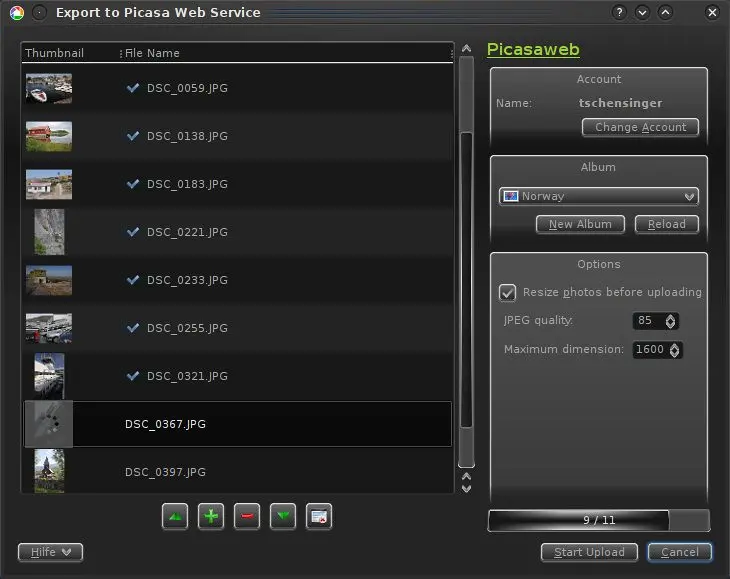
PicasaWebExport : Tool dialog redesigned with same layout than Flickr, Facebook, etc. HTMLExport : Show screenshot alongside theme description. PiwigoExport : New tool to export images to Piwigo server (aka PhpWebGallery). HTMLExport : Get metadata from image files and new detailed theme.
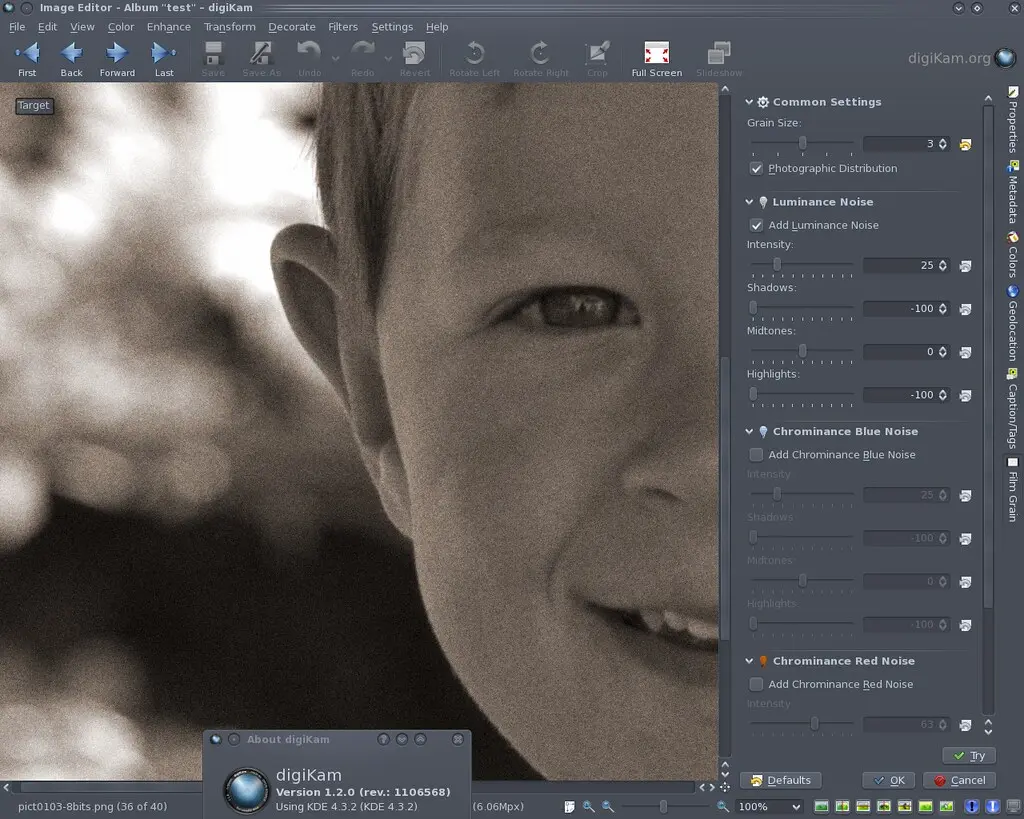
Since a very long time, my TODO list included a complete review of digiKam Film Grain tool. Based on an old Gimp Guru tutorial,
this tool lacks a lots of features as the capability to manage colors and luminosity noise, graininess size, and photo-electronic noise rendering.
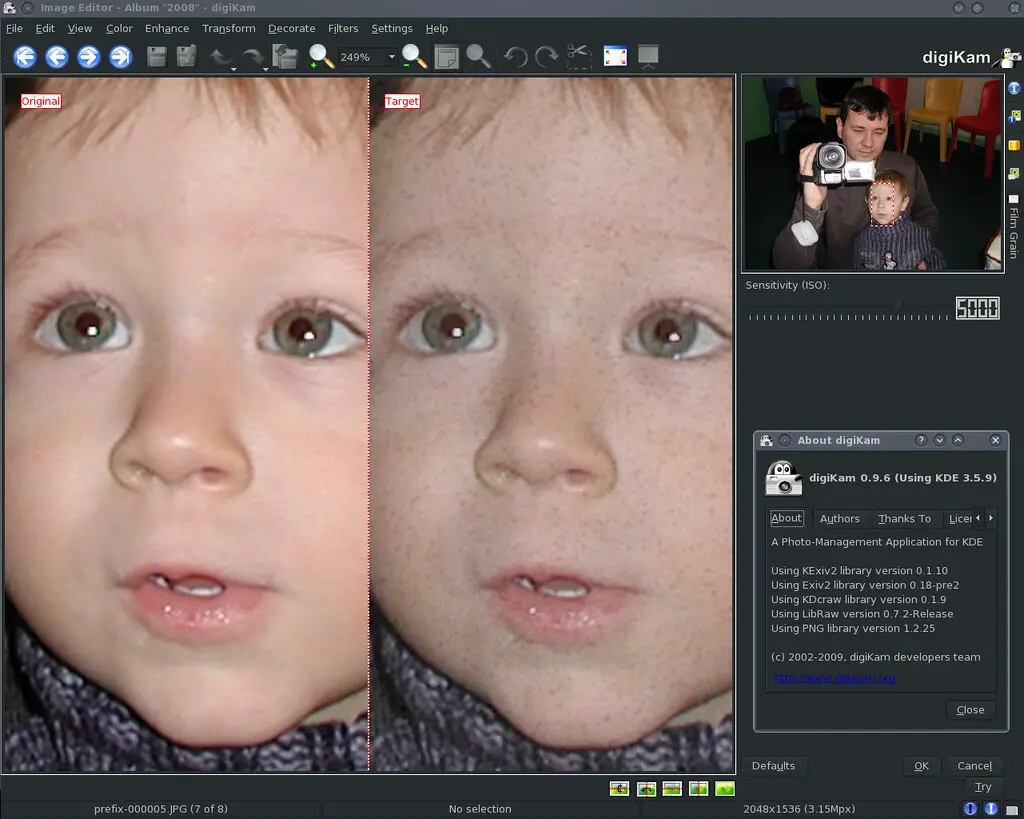
I have always been impressionned by PowerRetouche photoshop plugin. This company make great tools for photographers, but of course, all are closed source and non-free. PowerRetouche collection has a Film Grain simulator has you can see in screen-shot below.
Last summer I saw bug #127321 an thought, this can be done by me (partly at least). After some (successful) prototypic implementation, most of the time where spent into smooth integration in the existing project:
adding a solution for migrating from SQLite to MySQL and vice versa
add possibility to start an own database server
and bug fixing...
Because only a few persons trying out this work (which resides atm. in a dedicated branch), the most bugs are possible undiscovered.
Few months earlier I started to work on HTMLExport plugin and first two updates I made are mentioned in the TODO file or request on bugzilla. The first one is showing template preview alongside theme description as shown in the next screenshot:
The second one is getting metadata from image files during the album creation, using XSLT for the theming mechanism is really powerful, but in the last version the amount of information included in gallery.xml is very limited - now you can access much more information, look at THEME_HOWTO file for a detailed list. There is also a new detailed theme to test this featured, an example on the next screenshot.
A new export plugin has been added to the Kipi-plugins development trunk: an export to Piwigo plugin!
Some of you may not know Piwigo yet: it's a powerful web gallery based on usual PHP/MySQL technologies. It's a good solution if you want to self-host your photos and avoid third-parties services like Picasa or Flickr. It can be compared to Menalto Gallery, which is already supported by Kipi-plugins, even if I find Piwigo lighter and more complete when it comes to browsing capabilities (hierarchical categories, tags or chronology).
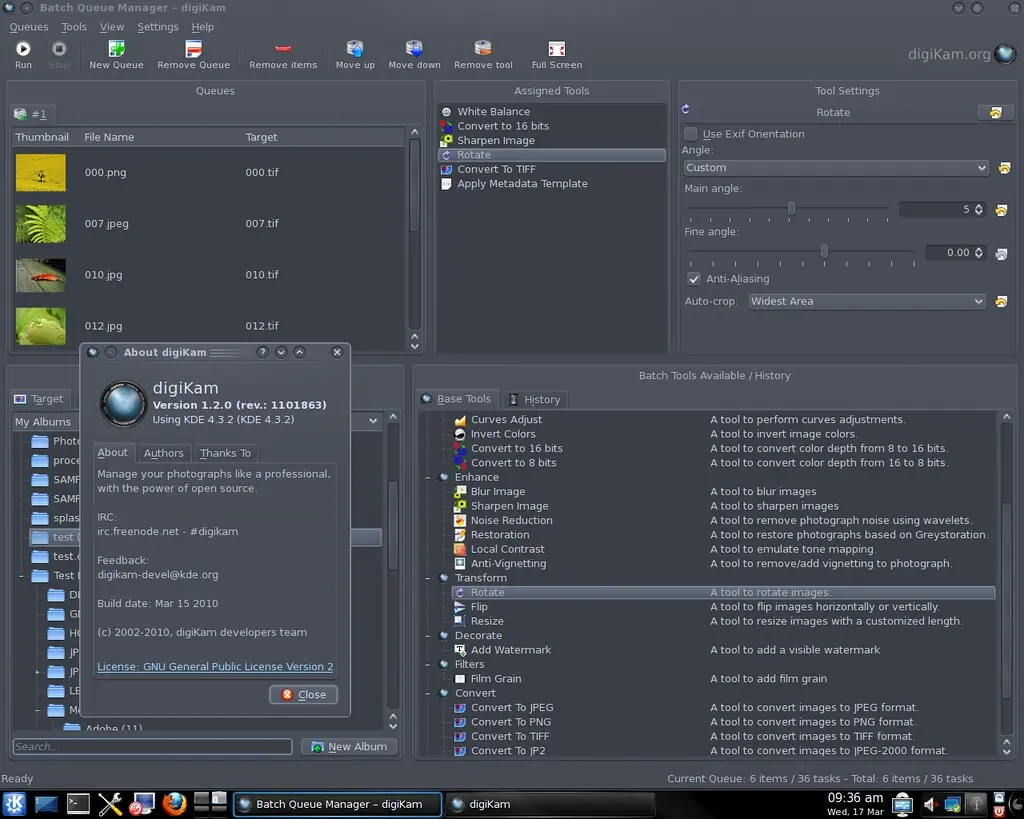
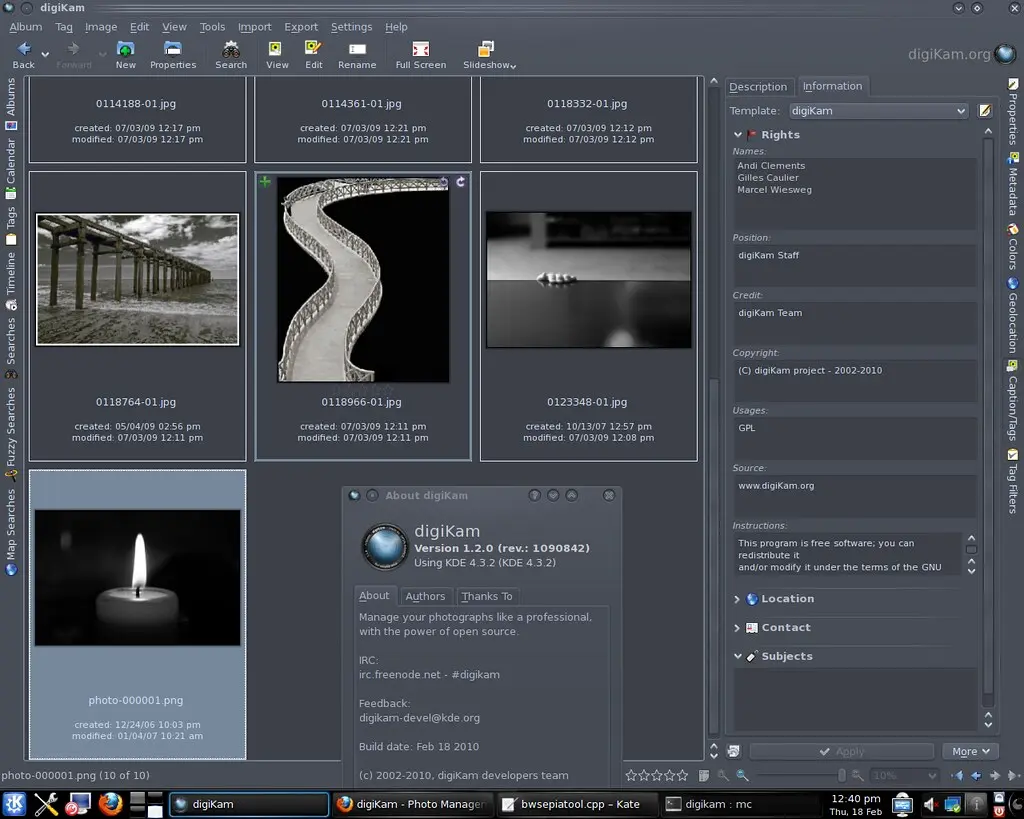
You will be forgiven for thinking that copyrighting photos belongs to the realm of the professional photographer. Even if you consider yourself an amateur, providing copyright and contact information for your photos is a prudent thing to do. Embedding copyright info into each photo may sound like a daunting proposition, but digiKam provides a nifty template feature which lets you create copyright templates and apply them to multiple photos in one go.
The ui of the picasaweb exporter gains some love and is refreshed in current trunk.
Its look now fits to other kipi export plugins with imagelistview support showing you the current processing element
and a non-modal progressbar to let you work on your next photos while uploading.
Besides the exporter, a basic importer has been added, to let you download all your favourite albums.