kipi-plugins tarball can be downloaded from SourceForge at this url
Kipi-plugins will be also available for Windows. Precompiled packages can be downloaded with KDE-Windows installer. See KDE-Windows project for details.
See below the list of new features and bugs-fix coming with this release:
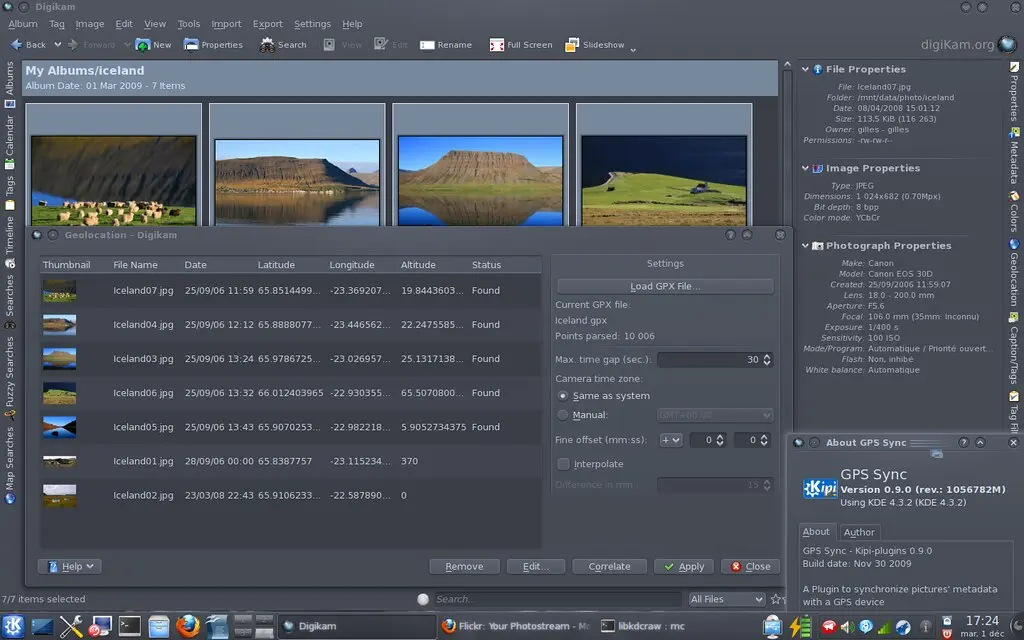
GPSSync : Bookmark locations.
001 ==> BatchProcessImages : 213164 : kipi convert images: 16 bit png from 8 bit bmp. 002 ==> BatchProcessImages : 212118 : Rename images: sorting based on the exif date of an image. 003 ==> RawConverter : 213681 : Batch RAW converter: Activating 16bit allows jpeg. 004 ==> JPEGLossLess : 213889 : Segmentation fault at splash screen. 005 ==> PrintAssistant : 124357 : Output resolution of print wizard is very low. 006 ==> PrintAssistant : 204707 : Printwizard should be able to print uncroped thumbnails. 007 ==> PrintAssistant : 124357 : Output resolution of print wizard is very low. 008 ==> AdvancedSlideShow : 214744 : Advanced slideshow crash after pressing ok. 009 ==> GPSSync : 135387 : Stickers of photos on the world map. 010 ==> JPEGLossLess : 215644 : Rotate image fails under windows. 011 ==> FlickrExport : 215646 : Export to Flickr fails under windows. 012 ==> GPSSync : 167279 : Add a list of favorite place to gps locater window (e.g. new drop down menu). 013 ==> GPSSync : 135406 : History for last used GPS coordinates. 014 ==> GPSSync : 206080 : Kipi-plugins gpssync no map when entering. 015 ==> General : 216622 : digiKam bug report data errors. 016 ==> GPSSync : 214210 : Don’t take the correct position from geolocation file. 017 ==> libkipi : 216790 : Configuration dialogue crashes getting icon for plugins not loaded. 018 ==> GPSSync : 216803 : GPSSync ability to zoom with mouse wheel. 019 ==> SlideShow : 215798 : slideshow crashes when starting.
Release Candidate of digiKam 1.0.0 is out... With this release, 22 files have been closed to Bugzilla since 1.0.0-beta6. Final release is planned to 20 december...
digiKam tarball can be downloaded from SourceForge at this url
digiKam will be also available for Windows. Pre-compiled packages can be downloaded with KDE-Windows installer. See KDE-Windows project for details.
See below the list of new features and bugs-fix coming with this release:
Some users have asked me what modifiers are. They don't seem to know this concept in a renaming tool and are a little bit confused by it. I will try to explain what the modifiers do and why I implemented the renaming tool in such a way.
Update: Error Handling
Wrongly placed modifiers are highlighted now, so you can easily see if you made a mistake. A modifier is invalid when it is not added directly behind an option or an option-modifier pair.
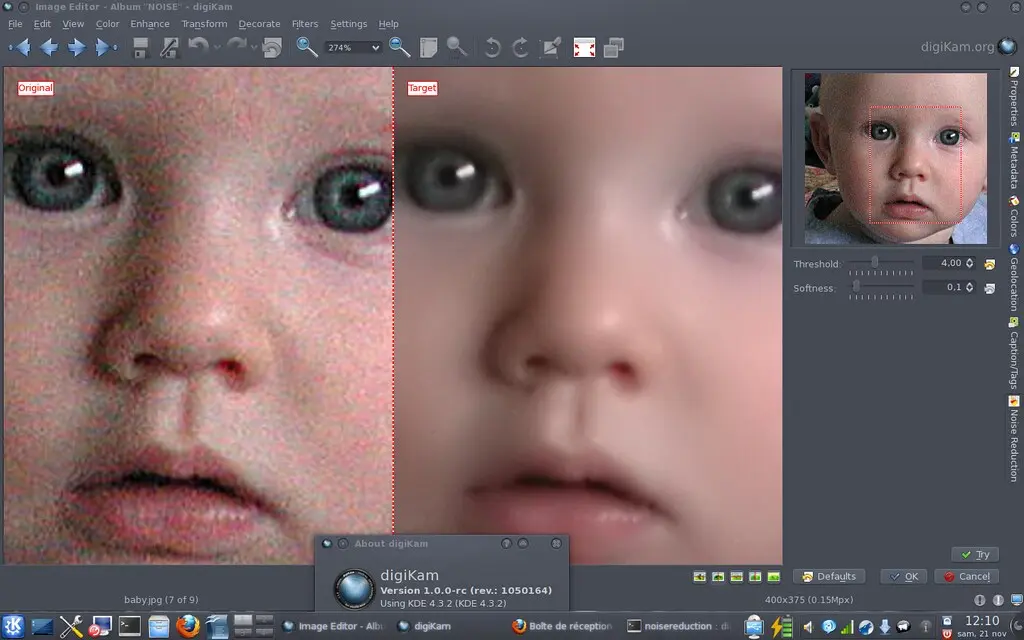
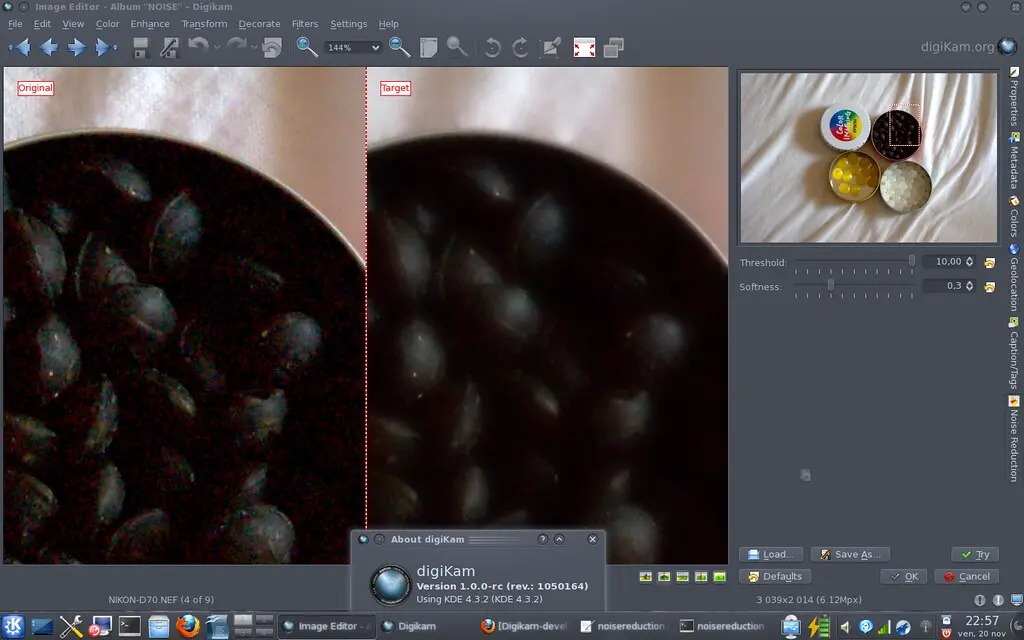
I'm currently working on a new tool for Image Editor and Batch Queue Manager to perform camera sensor noise using Wavelets. The tool works into YCrCB color space and support 16 bits color depth.
The tool core code is based on Gimp Wavelets De-noise tool. I ported code to C++/Qt4 and fixed some memory management bugs and improved a little bit the processing loop to be be faster.
Code is not yet finalized, especially in settings view. Users must be able to adjust noise removal per channel (Luminosity or Chrominance). For the moment same settings is applied to all channels at the same time. But it's just a question of time... as usual...)
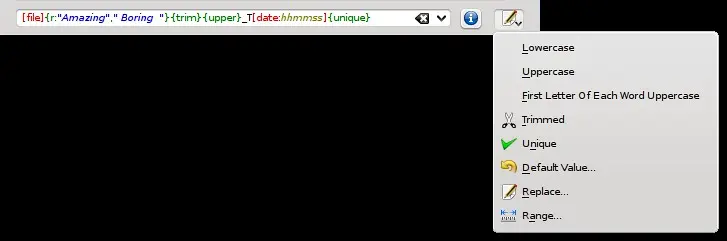
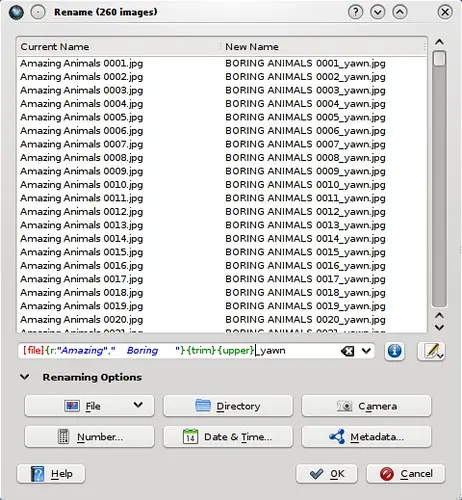
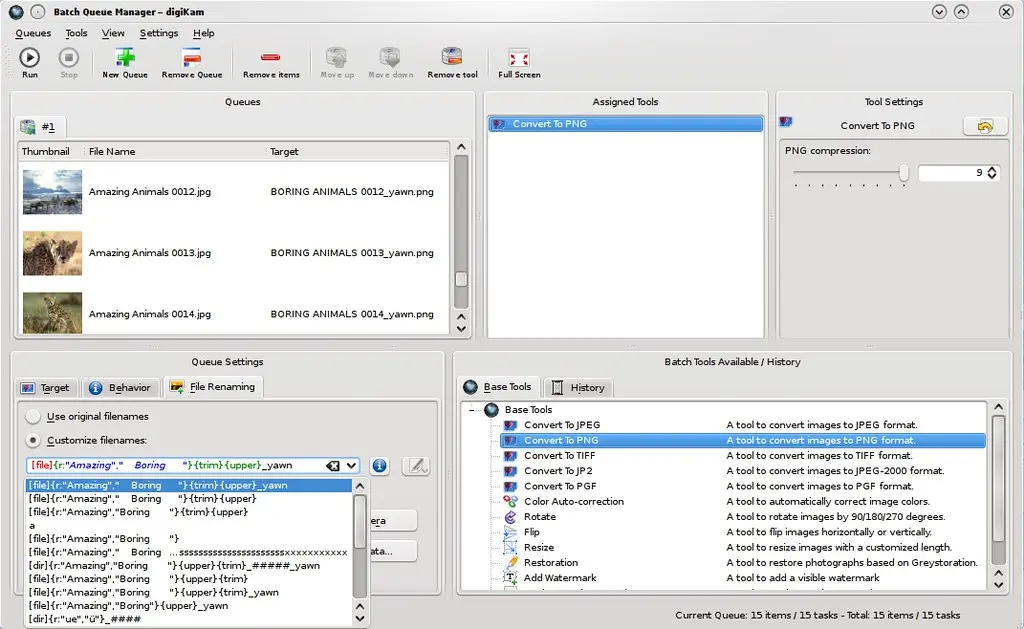
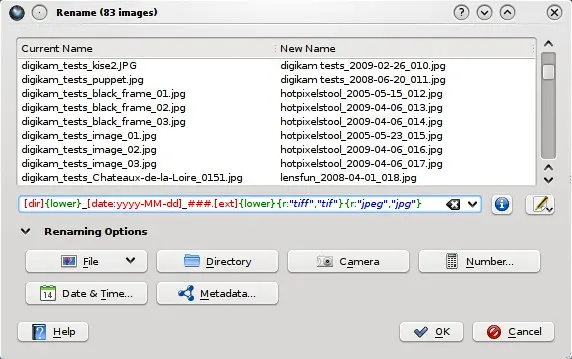
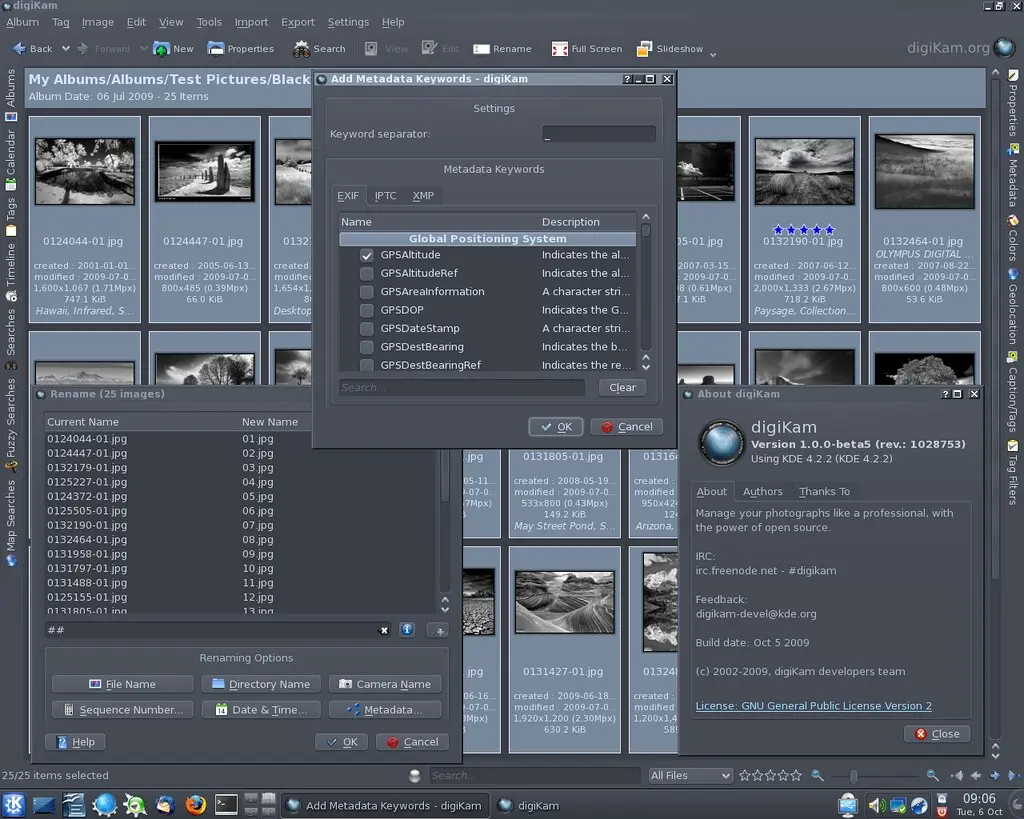
Just a quick comment that renaming in digiKam is capable of using syntax highlighting now. It should be easier to decipher a renaming string this way :-) Some screenshots can be found below:
6th beta release of digiKam 1.0.0 is out... With this release, 89 files have been closed to Bugzilla since 1.0.0-beta5.
digiKam tarball can be downloaded from SourceForge at this url
digiKam will be also available for Windows. Pre-compiled packages can be downloaded with KDE-Windows installer. See KDE-Windows project for details.
See below the list of new features and bugs-fix coming with this release:
NEW FEATURES (since 0.10.x series):
General : Exif, Makernotes, Iptc, and Xmp metadata tags filtering can be customized in setup config dialog. General : Metadata Template: add support of Contact, Location, and Subjects IPTC information. General : Add support of Author properties to multi-language Captions. User can set an author name for each caption value. General : Add new Batch Queue Manager. General : New tool bar animation banner.
General : Add support of wavelets image file format PGF. General : Added support of Metadata Template to set easily image copyright. General : Added support of LightRoom keywords path for interoperability purpose. General : Added Multi-languages support to Caption and Tags right side-bar. General : digiKam use a new database to cache thumbnails instead ~./thumbnails.
File format used to store image is PGF (https://www.libpgf.org).
PGF is a wavelets based image compression format and give space optimizations. General : Add OpenStreetMap support in Geolocation panels. General : Showfoto, Editor, Preview, LightTable: Thumbbar is now dockable everywhere. General : Complete re-write of Color Management code. Add support of thumbs and preview CM. General : AdvancedRename utility is used throughout digiKam now (AlbumUI, CameraUI and BQM). General : Updated internal LibPGF to 6.09.44.
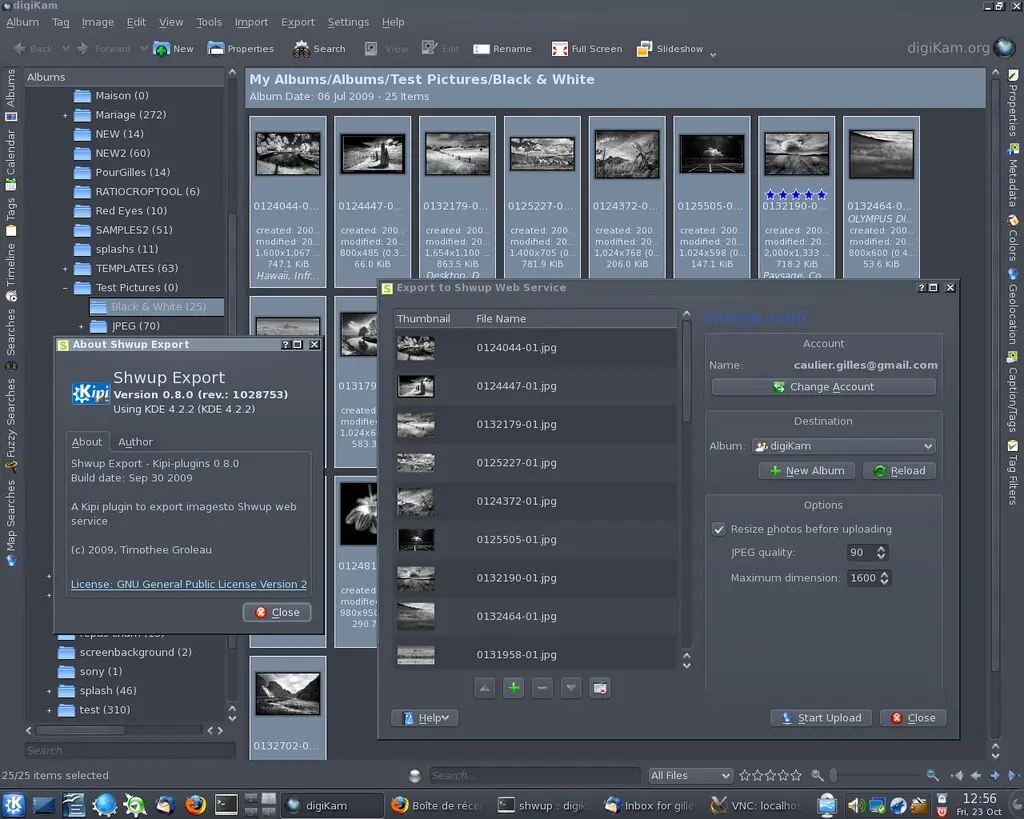
Kipi-plugins 0.8.0 maintenance release for KDE4 is out.
kipi-plugins tarball can be downloaded from SourceForge at this url
Kipi-plugins will be also available for Windows. Precompiled packages can be downloaded with KDE-Windows installer. See KDE-Windows project for details.
See below the list of new features and bugs-fix coming with this release:
KioImportExport : New plugin to import or export images via FTP, Samba, Fish (SSH) and many more using KIO slaves. AcquireImages : Under windows, use Twain interface from libksane to factorize code. Shwup : New plugin to export images to Shwup web service (https://www.shwup.com). General : All plugins ported to Qt4/KDE4. Qt3 transition class support is now dropped. PrintAssistant : New templates management. PrintAssistant : Icon preview for photo size choice. PrintAssistant : Caption per photo management. PrintAssistant : Added new templates for passport photos (6 photos 3.5x4cm and 4 photos 4.5x5cm).
digiKam tarball can be downloaded from SourceForge at this url
digiKam will be also available for Windows. Pre-compiled packages can be downloaded with KDE-Windows installer. See KDE-Windows project for details.
See below the list of new features and bugs-fix coming with this release:
NEW FEATURES (since 0.10.x series):
General : Exif, Makernotes, Iptc, and Xmp metadata tags filtering can be customized in setup config dialog. General : Metadata Template: add support of Contact, Location, and Subjects IPTC information. General : Add support of Author properties to multi-language Captions. User can set an author name for each caption value. General : Add new Batch Queue Manager. General : New tool bar animation banner.
General : Add support of wavelets image file format PGF. General : Added support of Metadata Template to set easily image copyright. General : Added support of LightRoom keywords path for interoperability purpose. General : Added Multi-languages support to Caption and Tags right side-bar. General : digiKam use a new database to cache thumbnails instead ~./thumbnails.
File format used to store image is PGF (https://www.libpgf.org).
PGF is a wavelets based image compression format and give space optimizations. General : Add OpenStreetMap support in Geolocation panels. General : Showfoto, Editor, Preview, LightTable: Thumbbar is now dockable everywhere. General : Complete re-write of Color Management code. Add support of thumbs and preview CM. General : AdvancedRename utility is used throughout digiKam now (AlbumUI, CameraUI and BQM).
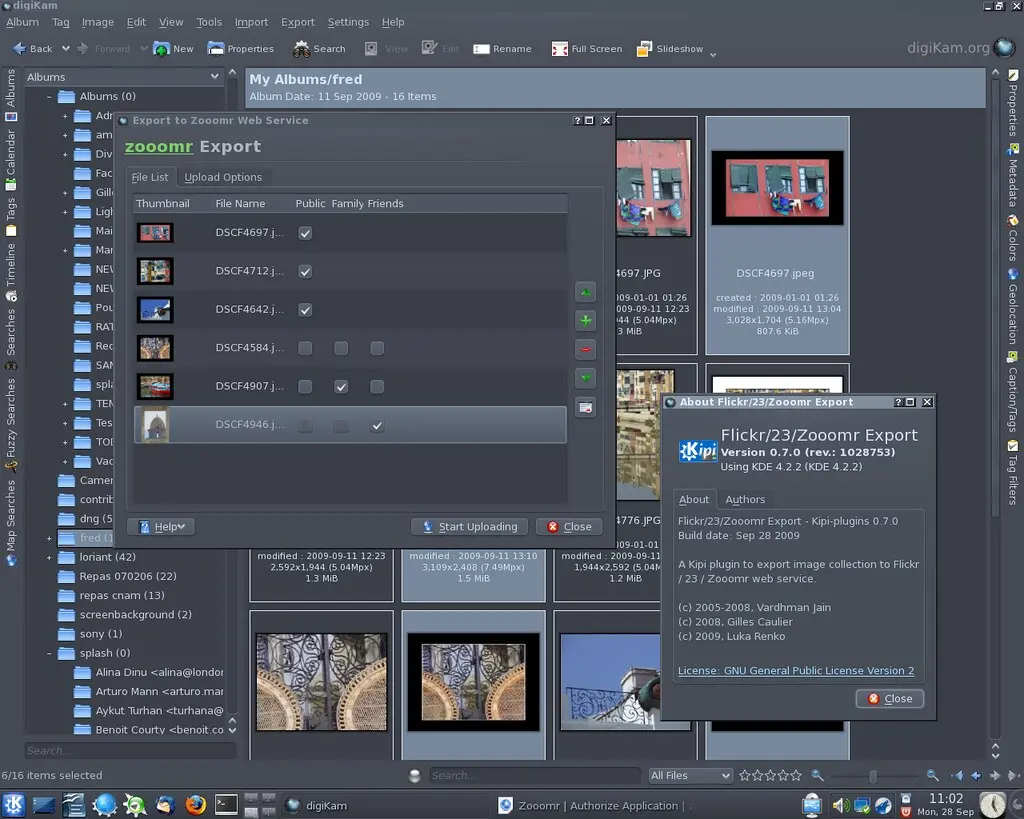
Kipi-plugins 0.7.0 maintenance release for KDE4 is out.
kipi-plugins tarball can be downloaded from SourceForge at this url
Kipi-plugins will be also available for Windows. Precompiled packages can be downloaded with KDE-Windows installer. See KDE-Windows project for details.
See below the list of new features and bugs-fix coming with this release:
FlickrExport : Plugin is now able to export to Zooomr web service (www.zooomr.com). FlickrExport : User can set photo visibility one by one if necessary (public, friends, family). TimeAdjust : A dedicated photo time-stamp can be used to adjust difference of camera clock.
In the past renaming images in digiKam was not very powerful. Most users (me too) renamed their images with KRename, a quite powerful batch renamer. But calling KRename from the "Open With..." dialog in digiKam was not very intuitive, it just felt wrong.
digiKam can manage nearly every piece of information found in an image, therefore it would be nice to have all this information available for file renaming, too, since renaming is one of the basic managing tasks. Sure there is a KIPI plugin for batch renaming, but this plugin is not very powerful and has no access to the digiKam database.